
Back to Docs
Delays, Pacing and Warm-Up
Set the delay between emails, send priority and reconnects, and warm up a new domain safely.
delay
pacing
warm-up
send priority
settings
Delays, Pacing and Warm-Up
Providers trust steady, human-looking sending more than sudden bursts. These settings control your pace.
Sending settings
Open Settings → General → Sending:
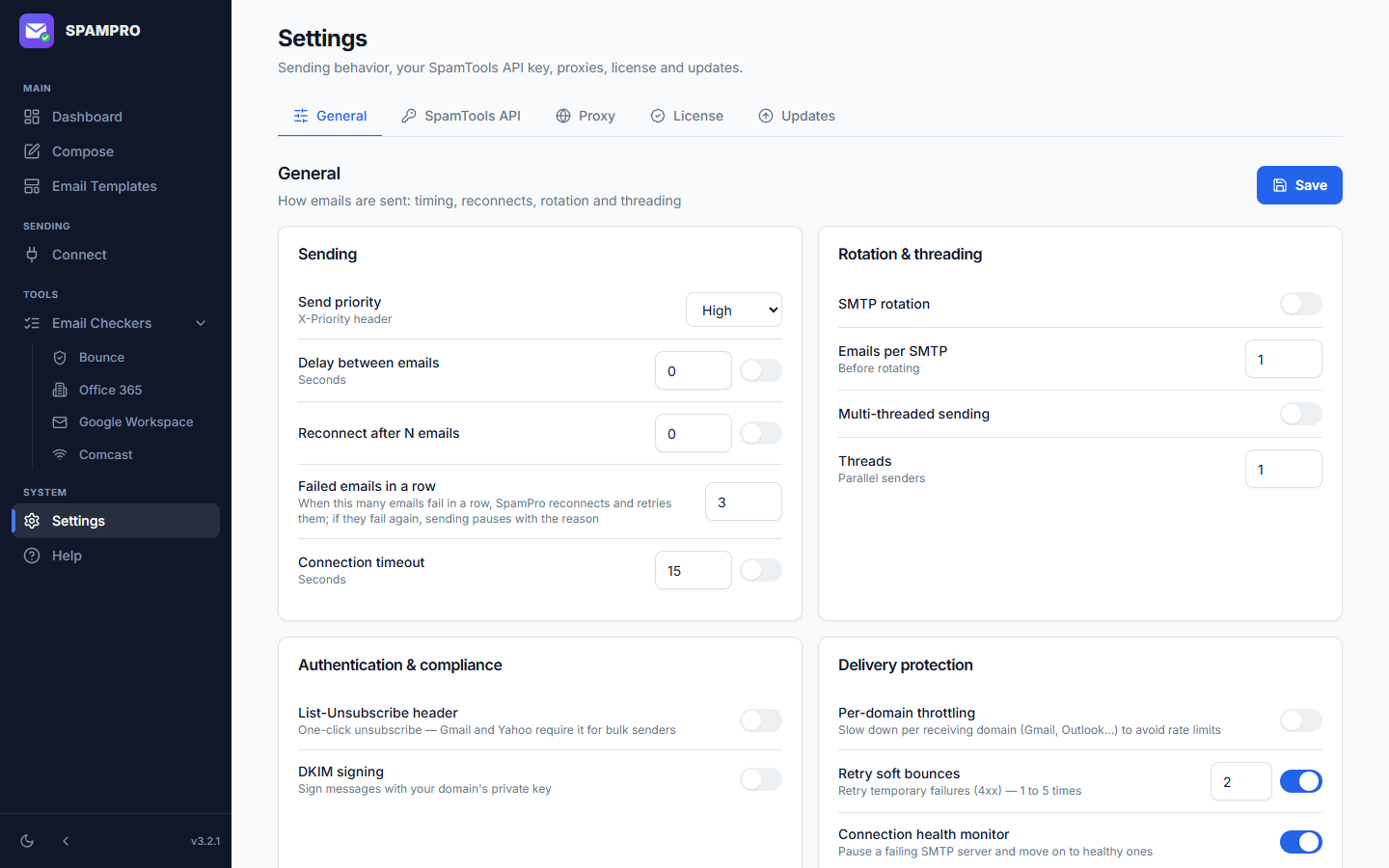
| Setting | What it does |
|---|---|
| Send priority | Sets the X-Priority header: High, Medium or Low. |
| Delay between emails | Seconds to wait between emails. Switch it on next to the field. |
| Reconnect after N emails | Opens a fresh SMTP connection every N emails. |
| Failed emails in a row | Auto-recovery threshold. See Connection health monitor. |
| Connection timeout | Seconds to wait for a server before giving up. |
Click Save after changing anything.
A safe warm-up schedule
A new domain, new IP, or a sender that's been quiet for weeks must ramp up gradually:
| When | Emails per day |
|---|---|
| Days 1–3 | 50–200, to your most engaged contacts |
| Days 4–7 | 500–1,000 |
| Week 2 | 2,000–5,000 |
| Week 3 | 10,000–20,000 |
| Week 4+ | Roughly double every few days while bounces and complaints stay low |
Only move up when the previous step was clean: bounces under 2%, complaints under 0.1%, and no rate-limit or block errors in the SMTP log.
Settings for big sends
- A delay of a few seconds between emails.
- Per-domain throttling on.
- Retry soft bounces on.
- SMTP rotation across authenticated servers.
- Connection health monitor on.
Don't send your whole list the day you set up a new domain or server, and keep your volume consistent from day to day.
On This Page
Still Stuck?
Can't find the answer here? Our team responds fast on Telegram and email.
Contact SupportTelegram Chat