
Back to Docs
Multi-Threaded Sending
Send several emails in parallel with multi-threaded sending, and choose a safe number of threads.
multi-threading
threads
speed
settings
Multi-Threaded Sending
Multi-threaded sending sends several emails at the same time, which makes big campaigns finish faster.
Turn it on
Open Settings → General → Rotation & threading:
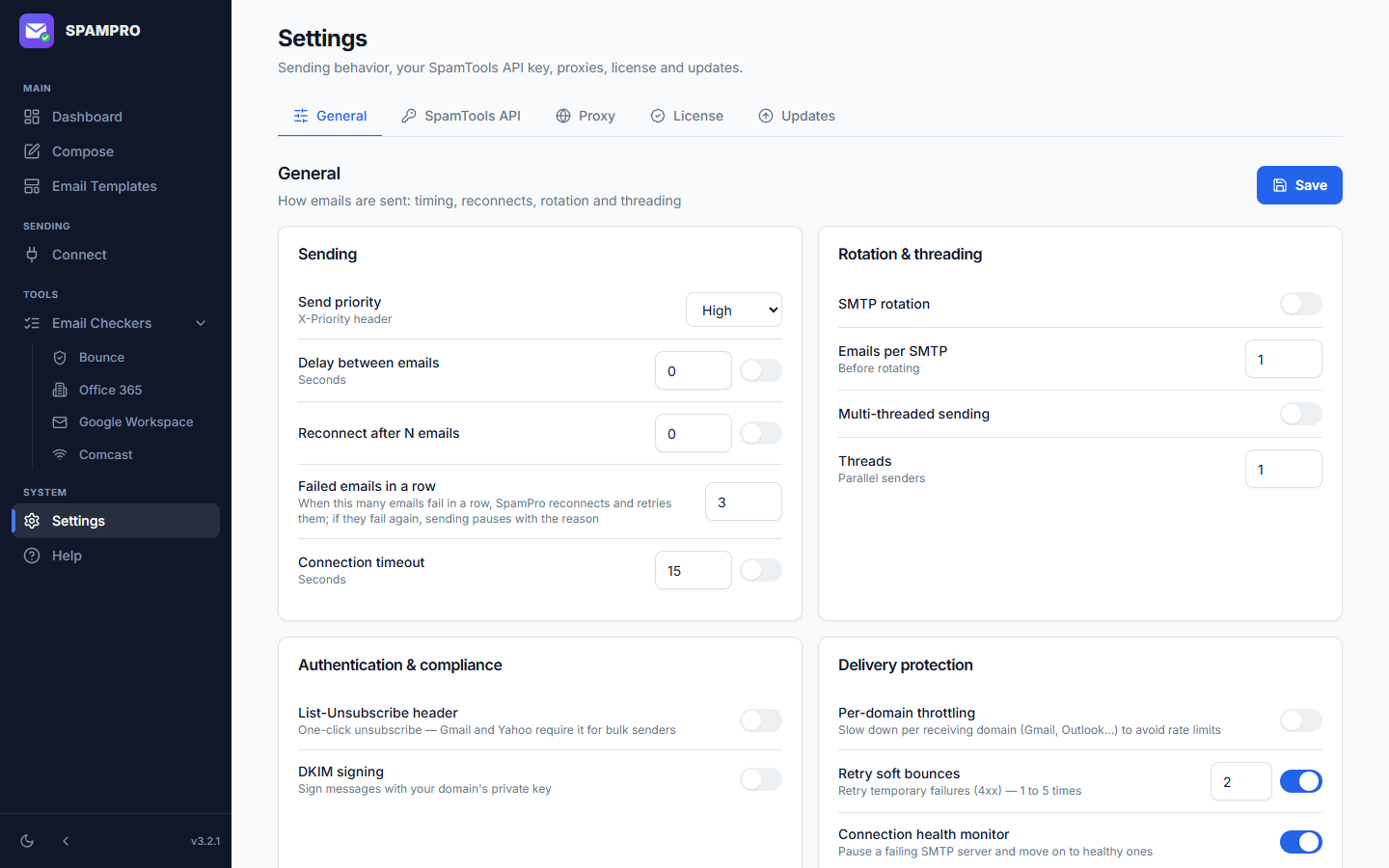
- Switch on Multi-threaded sending.
- Set Threads (parallel senders).
- Click Save.
Choosing the number of threads
More threads isn't always faster. Many parallel connections to one provider can trigger rate limits and blocks.
- Start low (2–3 threads) and watch the Dashboard and SMTP log.
- Combine threads with SMTP rotation so the parallel connections are spread across servers.
- Respect your SMTP provider's per-second and daily limits (for example Amazon SES sandbox vs. production limits).
- If you see
421or rate limited errors, lower the threads and turn on per-domain throttling.
Related
On This Page
Still Stuck?
Can't find the answer here? Our team responds fast on Telegram and email.
Contact SupportTelegram Chat