
Multiple SMTP Servers and Rotation
Import many SMTP servers at once, manage saved servers, and rotate sending across them.
Multiple SMTP Servers and Rotation
Add many servers at once
Open Connect → Multiple SMTPs.
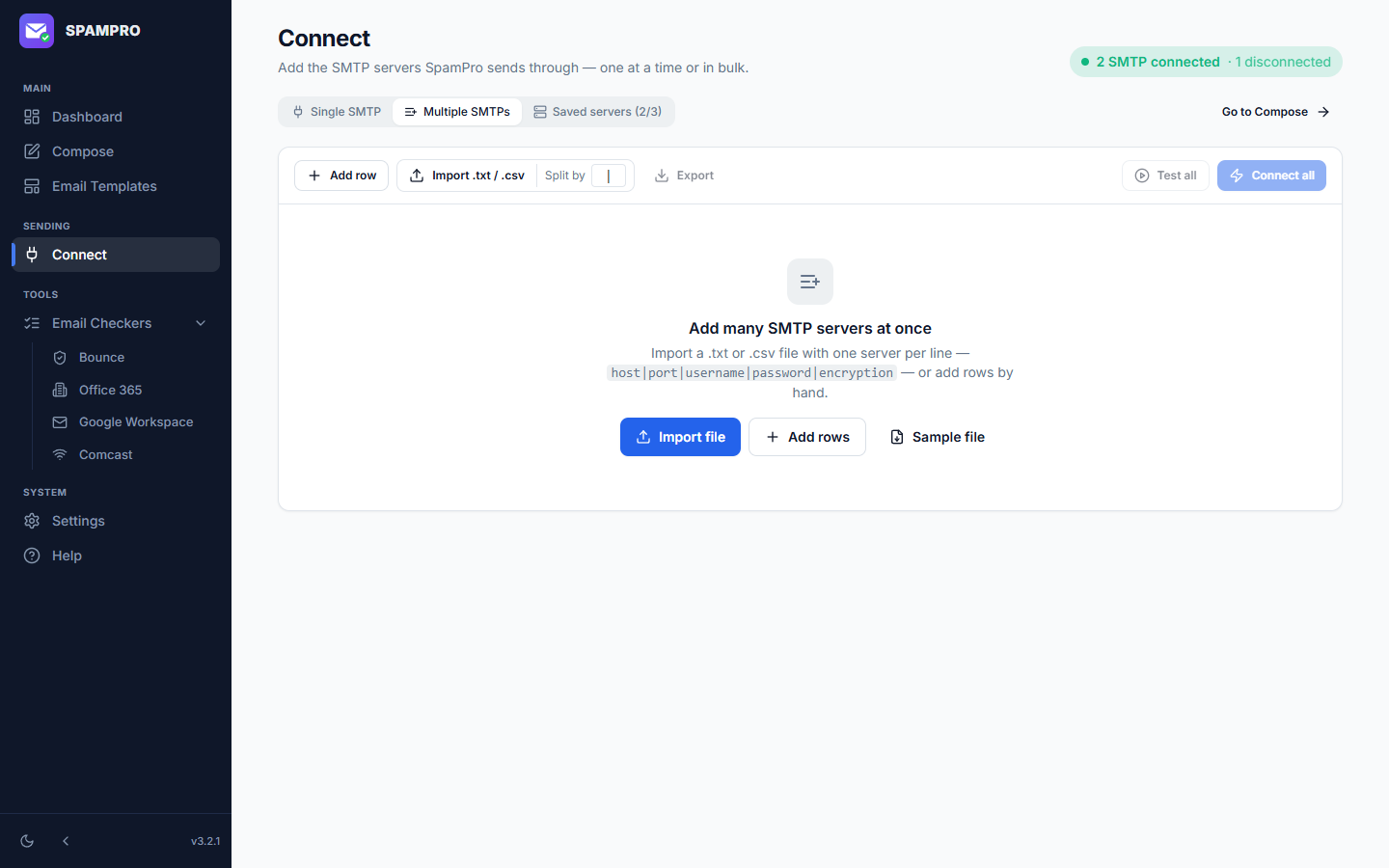
- Import file: load a
.txtor.csvwith one server per line, or click Add rows to type them in. - Split by: the character between the fields,
|by default. - Sample file: download an example to fill in.
- Export: save the current table back to a file.
Each line looks like this:
host|port|username|password|encryption
smtp.gmail.com|587|[email protected]|app-password|STARTTLS
smtp.office365.com|587|[email protected]|password|STARTTLS
Then:
- Test all checks every login without saving.
- Connect all tests every row and saves the ones that work.
- Rows turn green when they work and red with the server's error when they don't. The log icon on a row opens that server's SMTP session.
You can edit any cell directly in the table before testing.
Saved servers
Connect → Saved servers lists every server you've added, with its encryption and status.
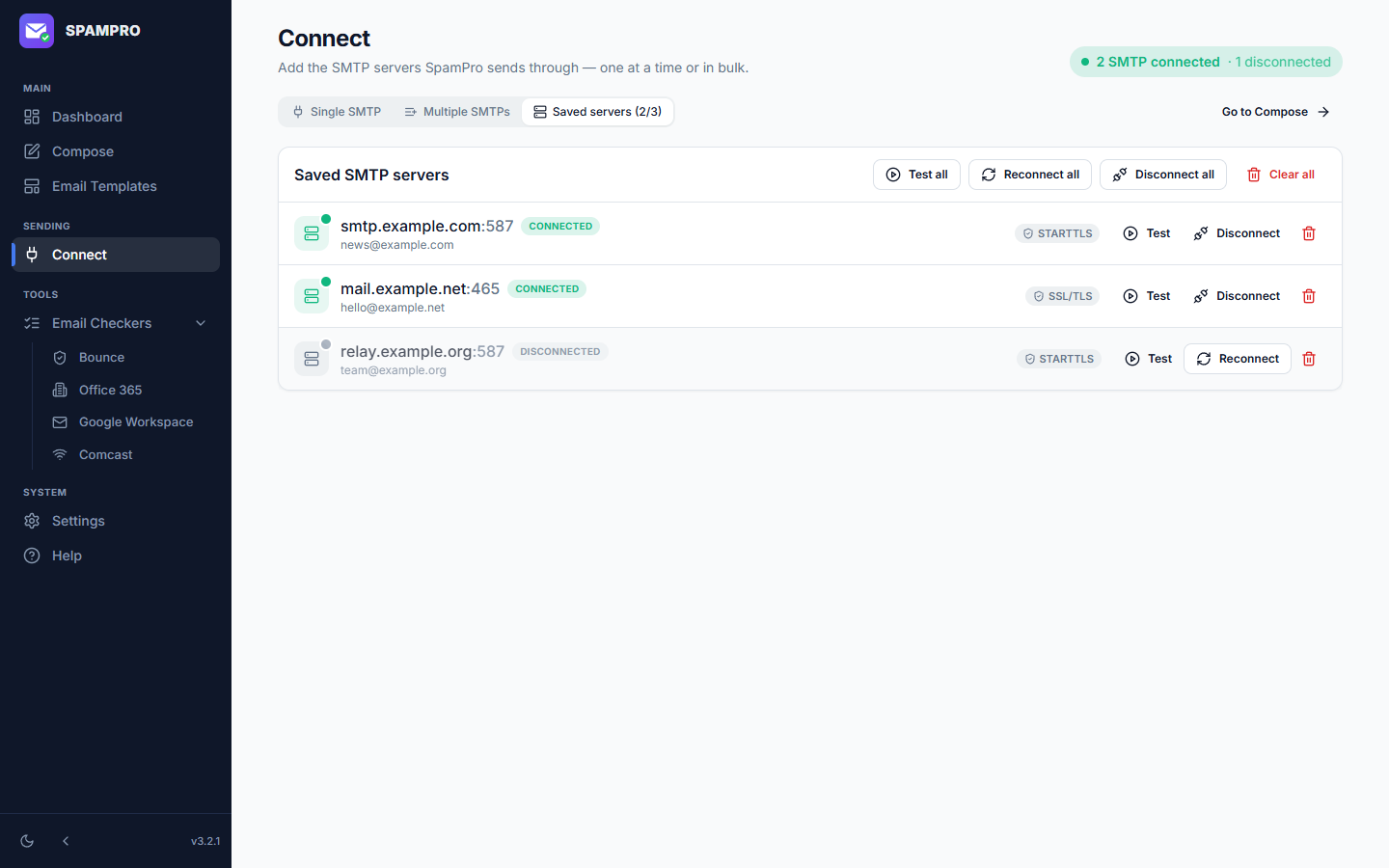
- Test: re-checks a saved login.
- Disconnect: keeps the server saved but stops sending through it.
- Reconnect: re-tests the login, then starts using the server again.
- Remove and Clear all ask before deleting.
- Test all, Reconnect all and Disconnect all act on every server at once.
The badge at the top right (for example 2 SMTP connected · 1 disconnected) shows how many servers will be used for sending. Adding a server that's already saved updates it instead of creating a duplicate.
Rotate between servers
To spread a campaign across several servers, open Settings → General → Rotation & threading:
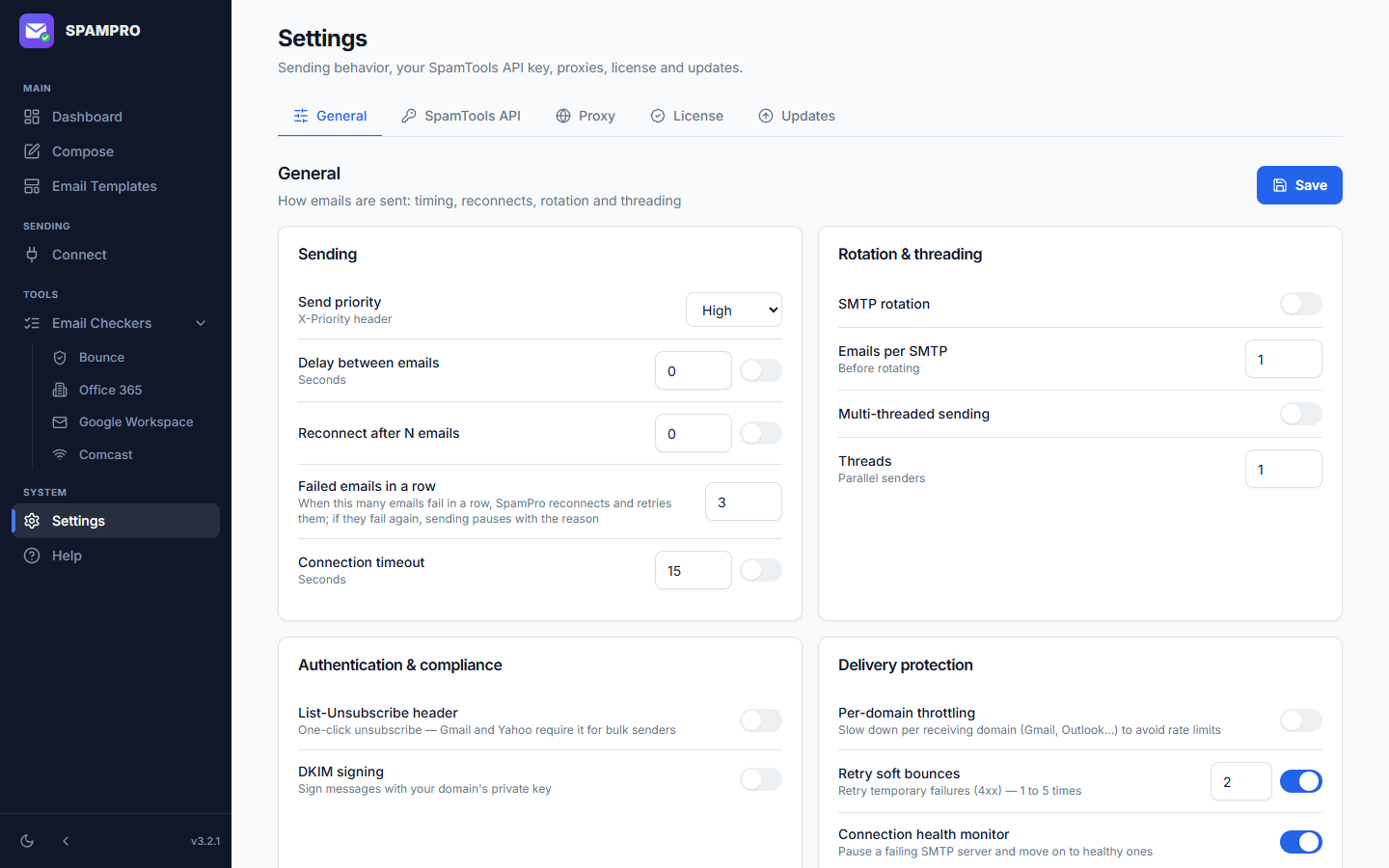
- Turn on SMTP rotation.
- Set Emails per SMTP: how many emails to send through one server before switching to the next.
Rotation helps you stay within each provider's sending quota and spreads the load. Only connected servers are used.
Tip: Rotate between servers that send for the same, authenticated domain. Rotating unrelated domains to get around blocks doesn't work: providers link them by content and links.
Next
Still Stuck?
Can't find the answer here? Our team responds fast on Telegram and email.
Contact SupportTelegram Chat