
Back to Docs
Welcome to SpamPro Email Sender
What SpamPro is, what you can do with it, and a quick tour of every screen. Start here if you're new.
getting-started
overview
bulk email sender
Welcome to SpamPro Email Sender
SpamPro is a bulk email sender for Windows. It sends your campaigns, newsletters and notification emails through your own SMTP servers (Gmail, Outlook, Office 365, Amazon SES, SendGrid, Mailgun or any other SMTP host), and gives you everything you need to reach the inbox in one app.
What you can do with SpamPro
- Send email campaigns to thousands of recipients through one or many SMTP servers, with rotation, multi-threading, delays and proxies.
- Write personal emails at scale with personalization tokens like
[@user], spintax and rotating From names, subjects and messages. - Design professional HTML emails in a drag-and-drop builder, starting from 43+ ready-made templates.
- Check your email before you send with instant pre-flight checks and an AI spam check that can rewrite it for you.
- Generate whole campaigns with AI: From names, subject lines and the email body from one short description.
- Verify your list with the Bounce, Office 365, Google Workspace and Comcast checkers.
- Protect your deliverability with one-click unsubscribe, DKIM signing, per-domain throttling, soft-bounce retries and a connection health monitor.
A quick tour of the app
The sidebar on the left takes you everywhere:
| Screen | What it's for |
|---|---|
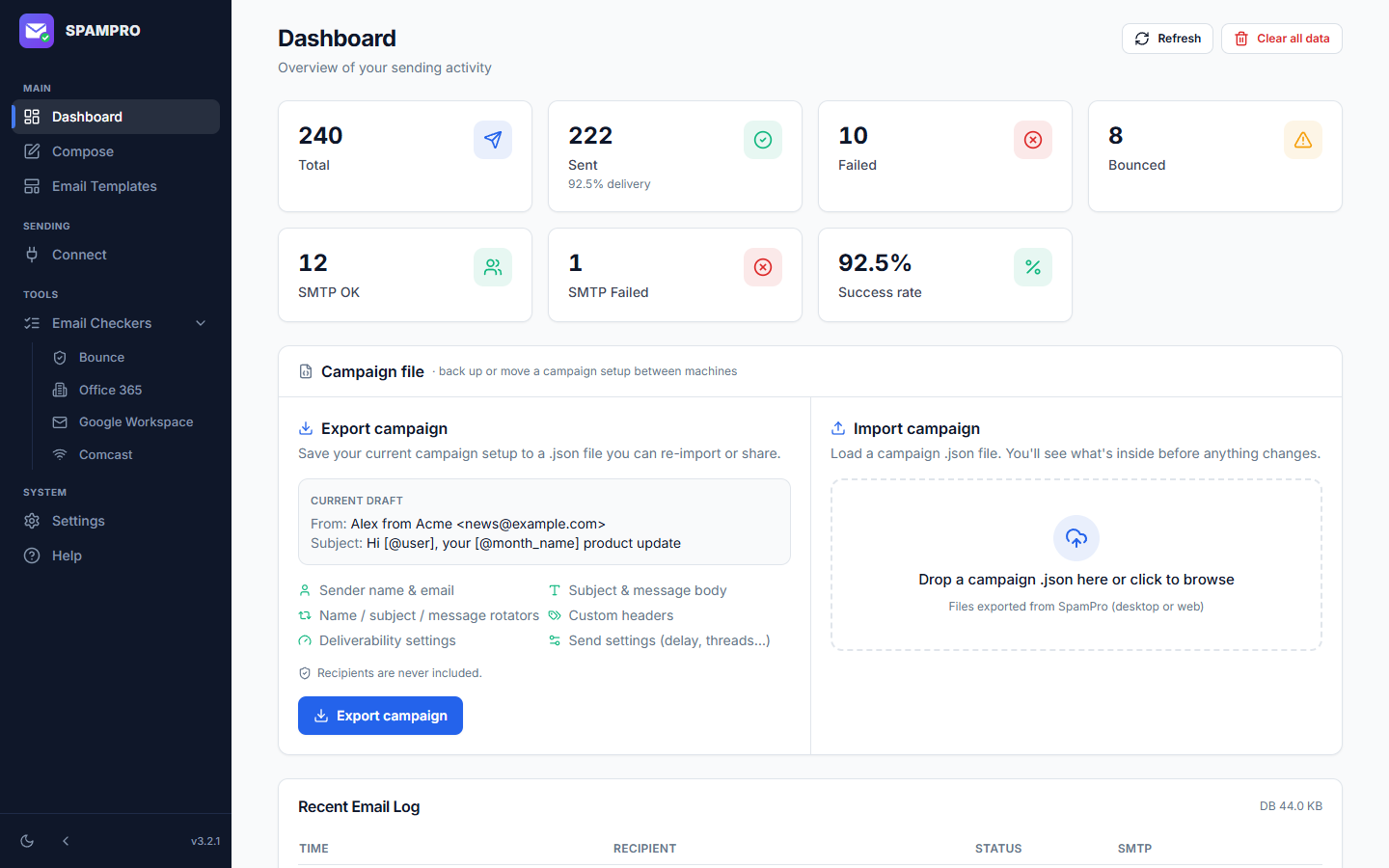
| Dashboard | Sending totals, success rate, SMTP results, the recent email log, and campaign export / import. |
| Compose | Build and send a campaign: recipients, sender, subject, message, rotators, AI tools and the Send button. |
| Email Templates | Your template library and the drag-and-drop email builder. |
| Connect | Add, test and manage your SMTP servers. |
| Email Checkers | Bounce, Office 365, Google Workspace and Comcast list verification. |
| Settings | Sending speed, rotation, threading, deliverability, SpamTools API, proxies, license and updates. |
| Help | The built-in Help Center with guides and an inbox placement guide. |
Where to go next
Use SpamPro responsibly. Only email people who agreed to hear from you. Laws such as CAN-SPAM (US), GDPR (EU/UK) and CASL (Canada) require consent or another lawful basis, a working unsubscribe and accurate sender details.
On This Page
Still Stuck?
Can't find the answer here? Our team responds fast on Telegram and email.
Contact SupportTelegram Chat