
Sending a Campaign: Pause, Resume and Stop
The Ready to send checklist, the send confirmation, live progress, and pausing, resuming or stopping a campaign.
Sending a Campaign: Pause, Resume and Stop
The Ready to send checklist
On the right of Compose, Ready to send lists what a campaign needs:
- SMTP connected: at least one connected server.
- Recipients added
- Valid sender: a valid From email (or an SMTP login that's an email address).
- Subject: or an active subject rotator.
- Message: or an active message rotator.
When an item is missing, it shows what to do next, and clicking Next takes you there. When all five are green, the header says Ready to send.
Below it, Campaign setup shows everything that will apply: SMTP servers, bounce validation, proxy, custom headers, spam score and each rotator.
Start sending
Click Send to N in the top bar, or Send campaign in the panel. For campaigns over 50 recipients, SpamPro shows a summary to confirm:
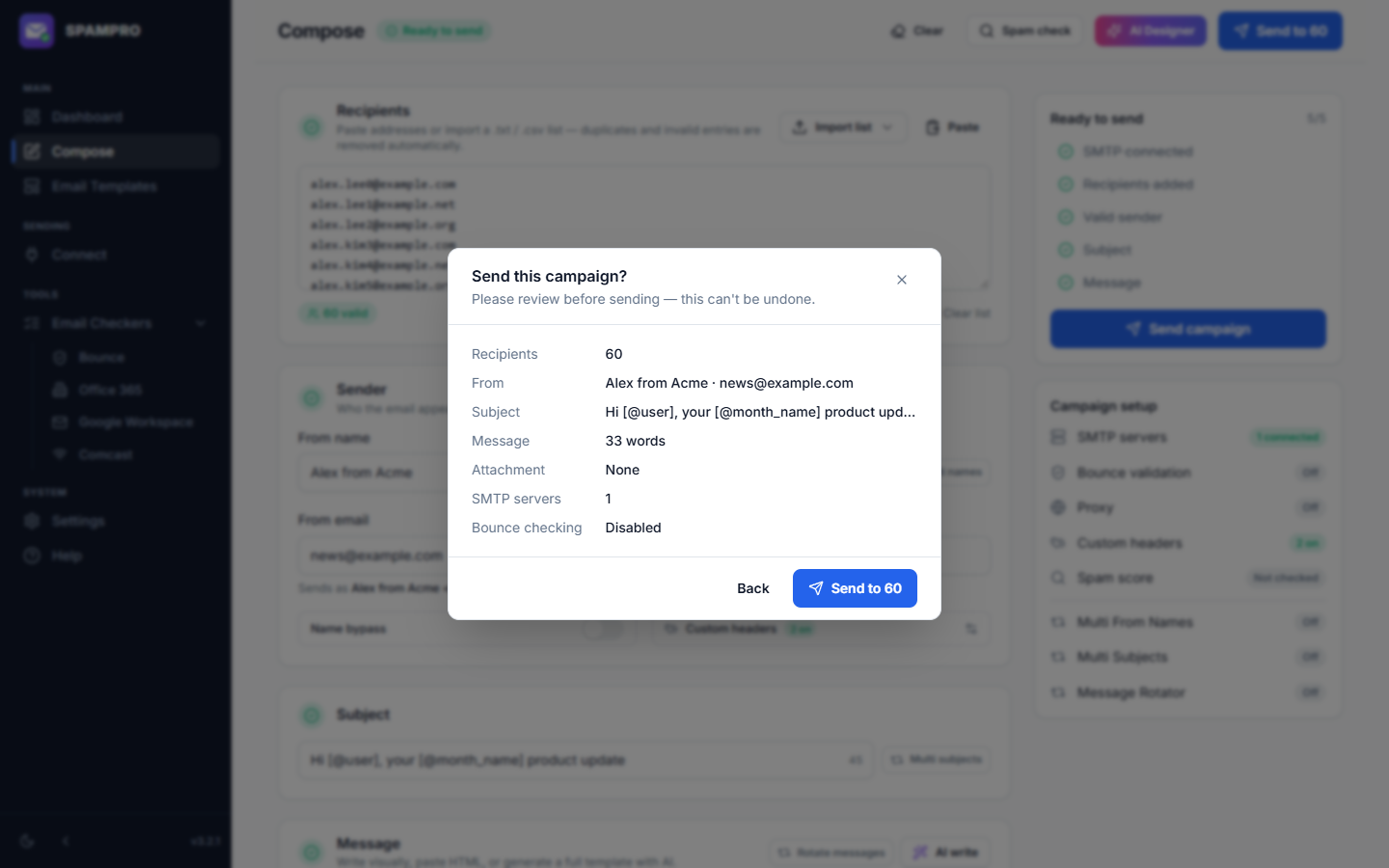
It lists recipients, From, subject, message size, attachment, SMTP servers and whether bounce checking is on. Click Send to N to start, or Back to change something.
Live progress
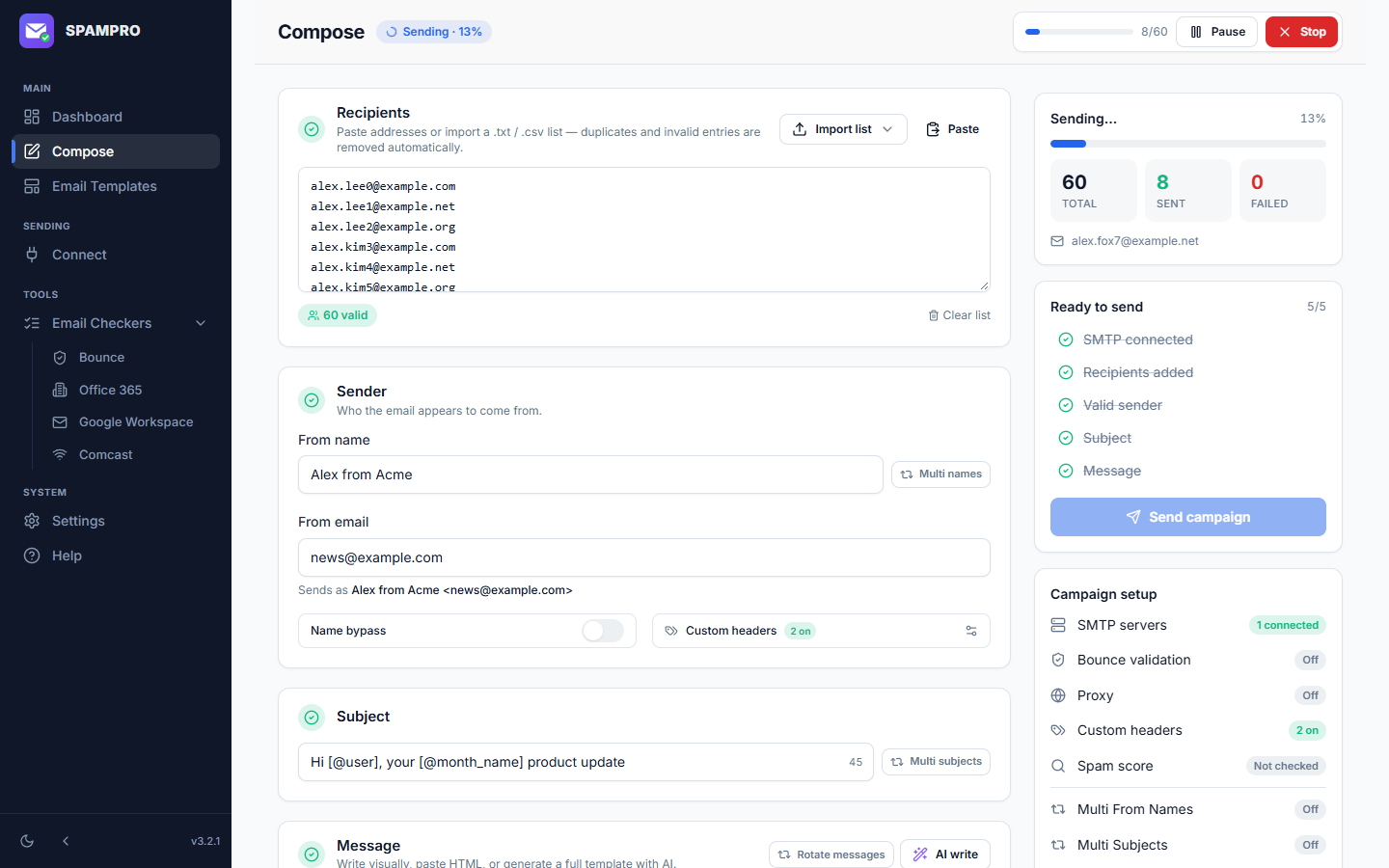
While sending you see:
- Sending · N% next to the page title,
- a progress bar with the count (e.g. 8/60) at the top,
- Total, Sent and Failed counters, and the address currently being sent to.
You can leave Compose and come back. Sending continues.
Pause, resume and stop
- Pause: finishes the current email and waits.
- Resume: continues where it paused.
- Stop: ends the campaign.
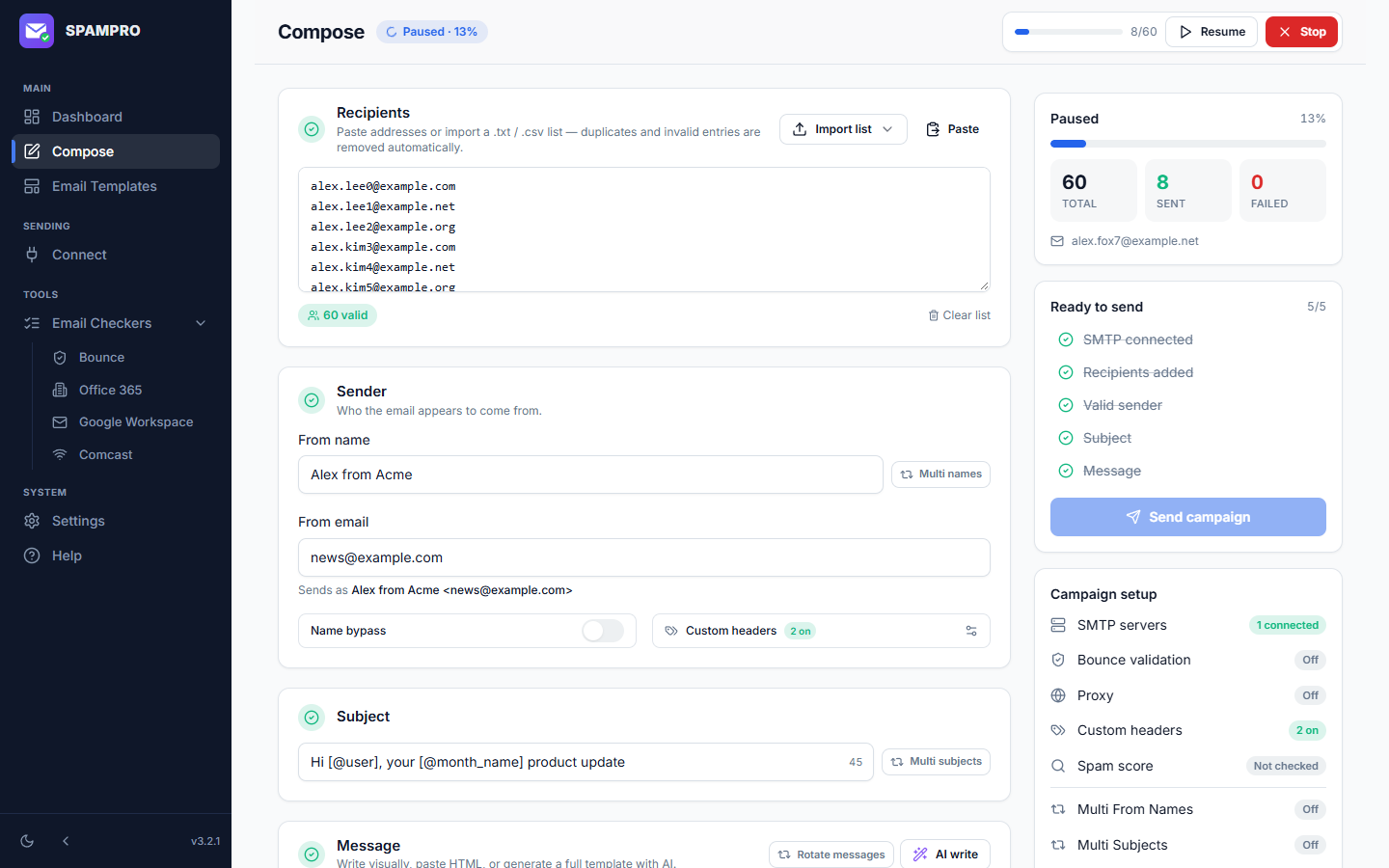
SpamPro can also pause by itself when emails keep failing. It shows the reason (for example the SMTP server's error). Fix the cause, then click Resume: the emails that failed are retried. See Connection health monitor.
When it's done
Last send shows the final totals:
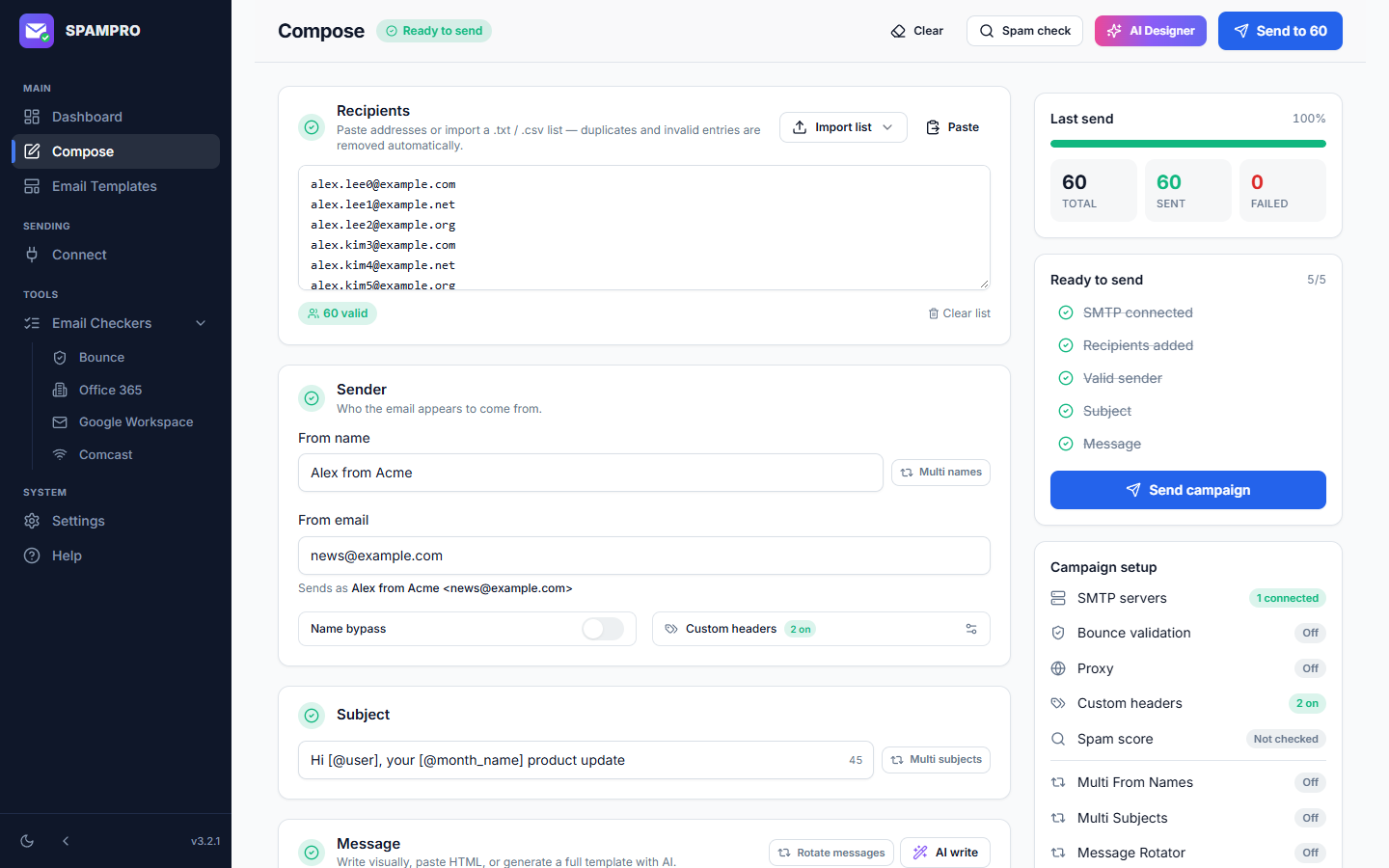
Every email is logged on the Dashboard with its status and SMTP server.
Tips
- Send to your own address first to check how it looks.
- Watch the Dashboard and SMTP log during big campaigns, and pause on a wave of failures.
- Stop any sending before switching SpamPro off or installing an update.
Still Stuck?
Can't find the answer here? Our team responds fast on Telegram and email.
Contact SupportTelegram Chat