
DKIM Signing and Domain Authentication
Set up SPF, DKIM and DMARC for your domain, and let SpamPro sign emails with your DKIM key when your server can't.
DKIM Signing and Domain Authentication
Authentication proves your emails really come from your domain. It's the single biggest inbox factor: Gmail, Yahoo and Microsoft reject or junk unauthenticated bulk mail.
SPF, DKIM and DMARC in short
Add these once per sending domain, in your domain's DNS. Your SMTP provider shows the exact values.
1. SPF: which servers may send for you. One TXT record on the root domain, and only one SPF record per domain (merge them).
TXT yourdomain.com v=spf1 include:amazonses.com include:_spf.google.com ~all
2. DKIM: a signature on every email. Your provider gives you CNAME or TXT records (selector._domainkey.yourdomain.com). Use 2048-bit keys.
3. DMARC: ties it together. Start with monitoring, then tighten once all your mail passes.
TXT _dmarc.yourdomain.com v=DMARC1; p=none; rua=mailto:[email protected]; adkim=r; aspf=r
4. Alignment: DMARC only passes if the domain in your From address matches the SPF or DKIM domain. Send as [email protected] through a server authorised for yourdomain.com.
Check your setup: the pre-flight part of Spam check looks up SPF, DMARC and MX for your From domain instantly.
Let SpamPro sign with DKIM
If your SMTP provider signs with DKIM (Amazon SES, SendGrid, Google Workspace and Microsoft 365 all can), you don't need this. If your server can't sign, SpamPro can.
Open Settings → General → Authentication & compliance and turn on DKIM signing:
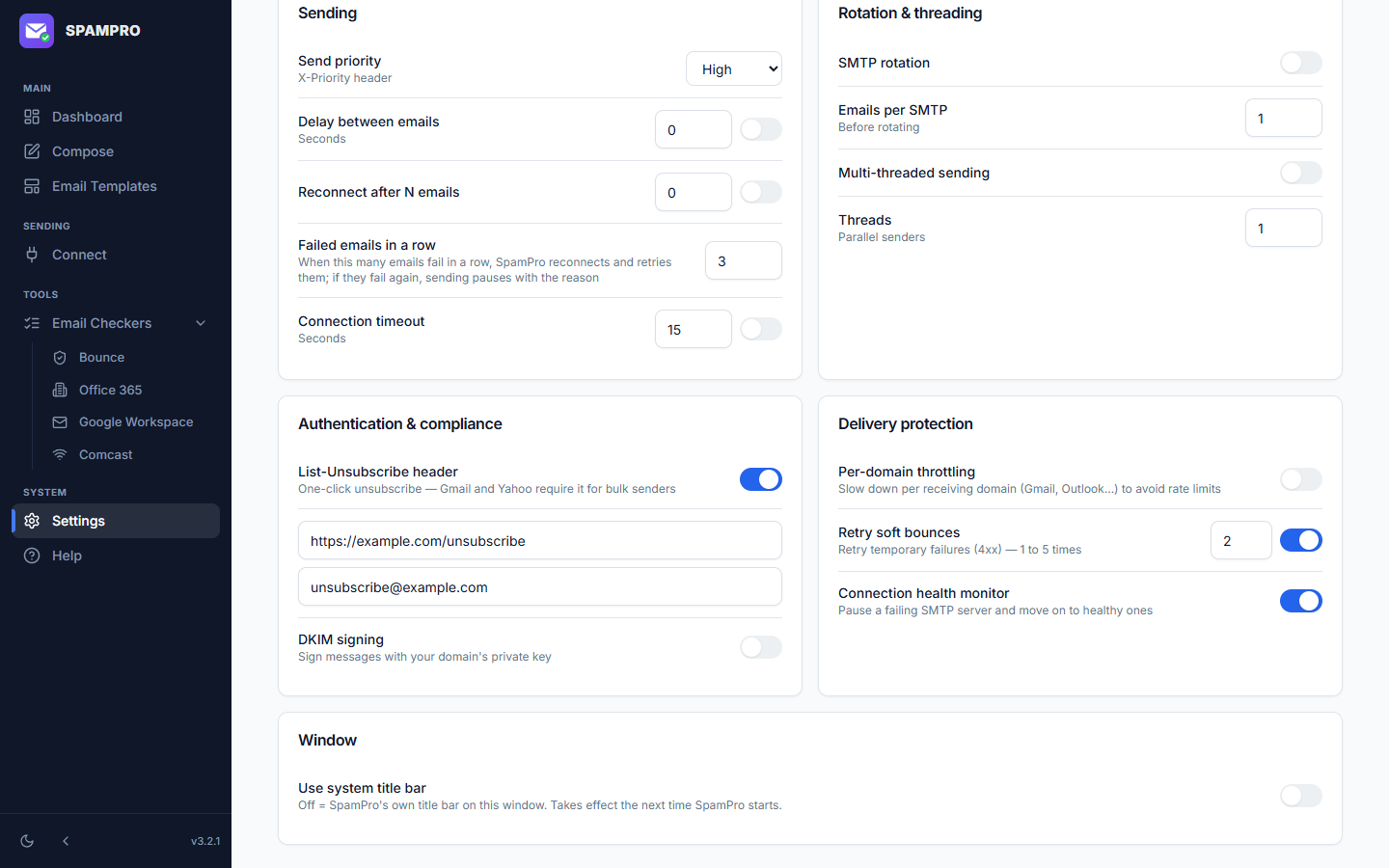
Fill in:
- Domain: your sending domain, e.g.
example.com. - Selector: the DKIM selector name (default
default). - Private key file (.pem): click Browse to pick your private key.
Then click Save. Publish the matching public key in DNS first (as selector._domainkey.yourdomain.com), or receiving servers can't verify the signature.
Do and don't
Do
- Send from an address on a domain you own and have authenticated.
- Use a subdomain for bulk mail (e.g.
news.yourdomain.com) to protect your main domain's reputation.
Don't
- Send From gmail.com, yahoo.com or outlook.com addresses through your own SMTP. Their DMARC policies make it fail.
- Publish two SPF records, or SPF with
+all. - Jump straight to
p=rejectbefore your reports show all legitimate mail passing.
Still Stuck?
Can't find the answer here? Our team responds fast on Telegram and email.
Contact SupportTelegram Chat