
Spam Check and AI Rewrite
Run instant pre-flight checks of your domain and email, get an AI spam score and inbox estimate, and rewrite the email with AI.
Spam Check and AI Rewrite
Run Spam check before every campaign. It combines instant pre-flight checks with an AI analysis of your wording, and can rewrite the email for you.
Run a check
In Compose, click Spam check in the top bar. It checks your current From name, subject and message.
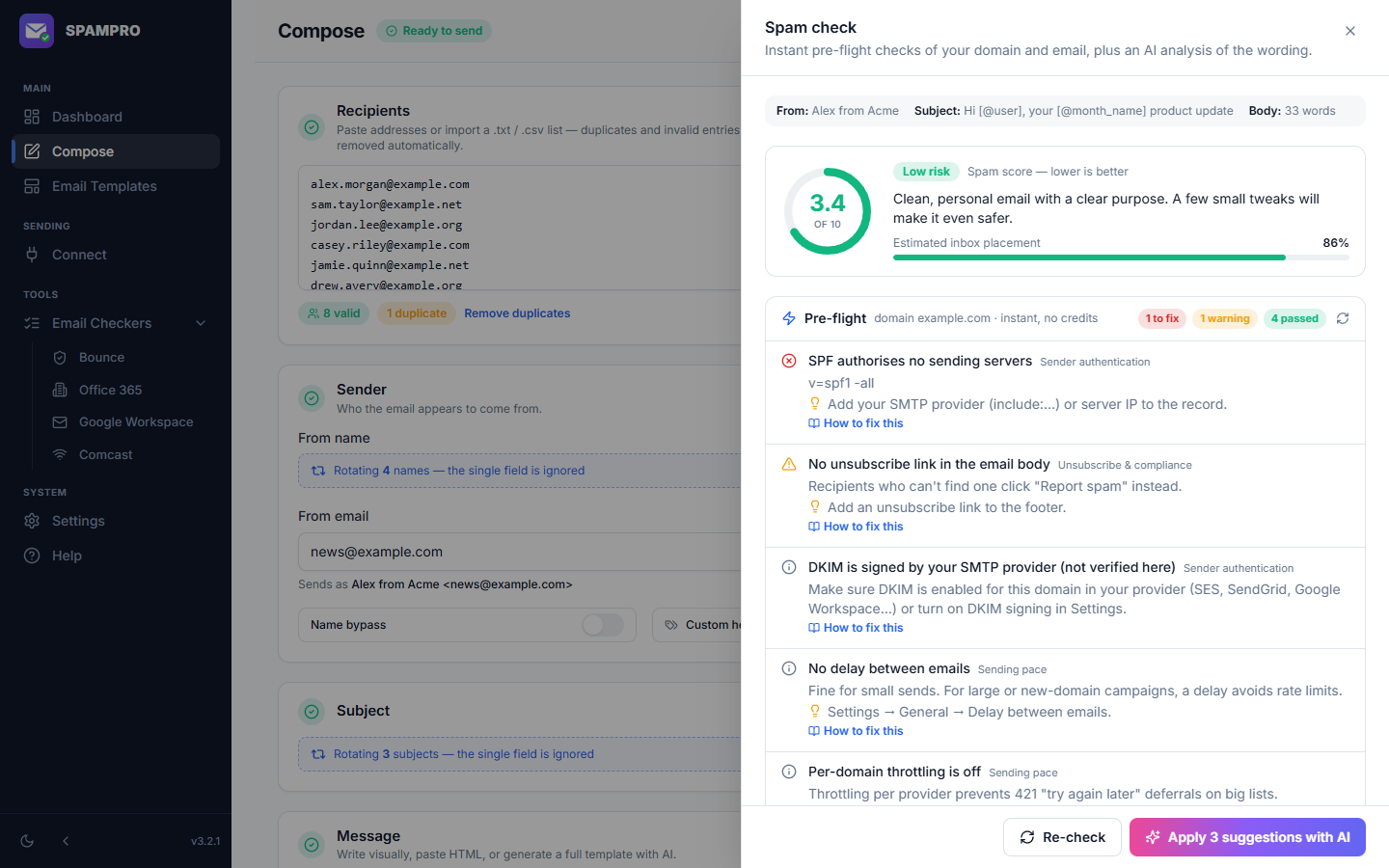
(Example result shown.)
The AI score
- Spam score out of 10. Lower is better.
- A verdict (for example Low risk) and a one-line summary.
- Estimated inbox placement as a percentage.
- Issues with a severity and a suggestion for each.
- What's working: the things your email already does well.
The AI part requires a connected SpamTools API key with an active AI subscription.
Pre-flight checks (instant, no credits)
Pre-flight runs immediately and checks your From domain and the email itself:
- Sender authentication: SPF, DMARC and DKIM records for your domain, and MX records.
- Unsubscribe & compliance: whether there's an unsubscribe link and header.
- Content: links, hidden text and message size.
- Sending pace: whether a delay and per-domain throttling are set.
Each result is marked passed, warning, to fix or info, with what to do and a How to fix this link to the matching Help Center guide.
Rewrite with AI
- Tick the suggestions you want (all are ticked by default).
- Click Apply N suggestions with AI.
- Review the rewrite:
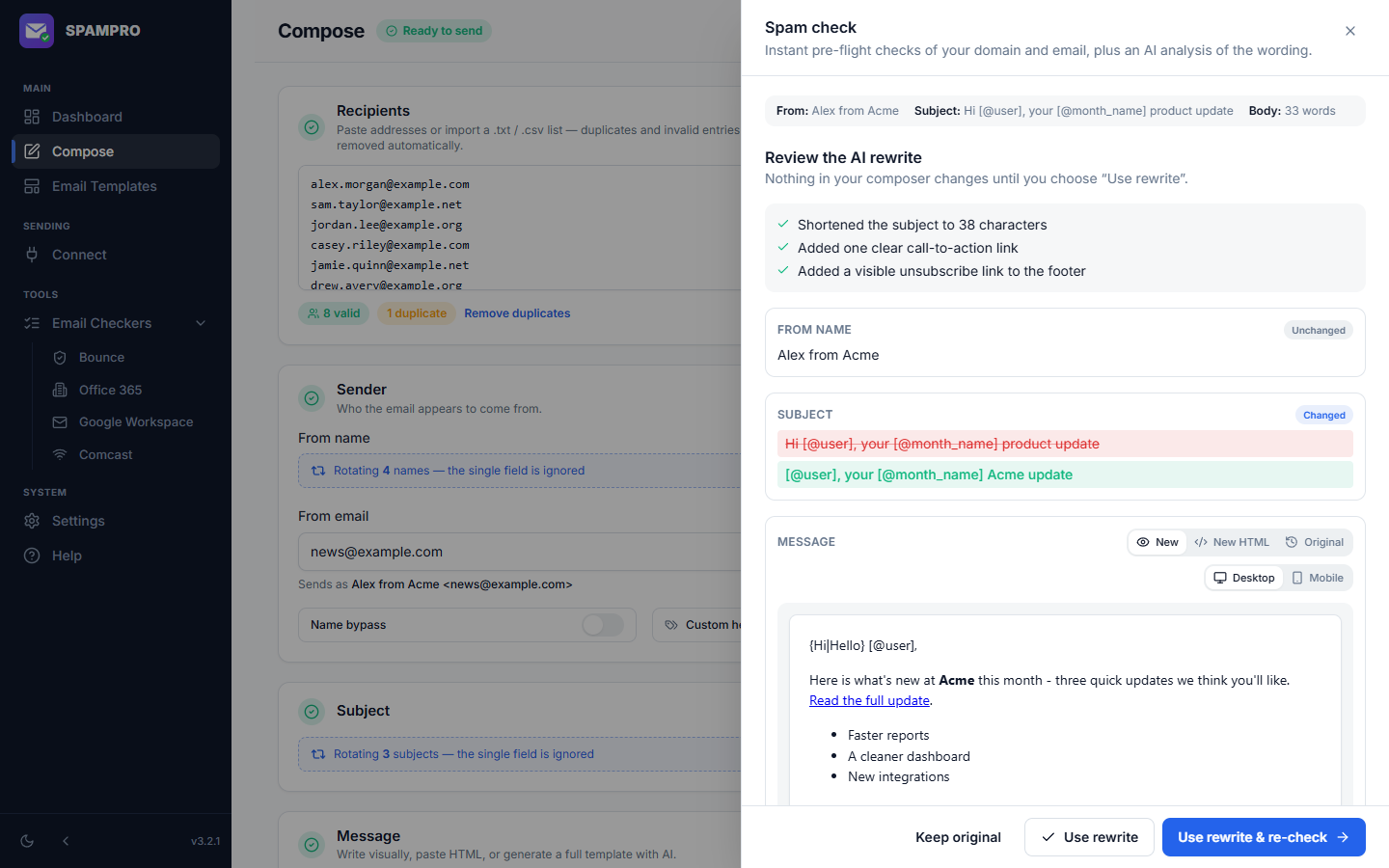
The review shows:
- the list of changes made,
- the From name and Subject: old (red) and new (green), or Unchanged,
- the Message: view New, New HTML or Original, at desktop or mobile width.
The rewrite keeps your tokens, spintax, links and layout. Nothing in Compose changes until you choose:
- Keep original: discard the rewrite.
- Use rewrite: put it into Compose.
- Use rewrite & re-check: put it into Compose and run the check again.
Keeping track
The latest score stays on the Spam check button and under Campaign setup → Spam score. It switches to Re-check as soon as you edit the email.
Related
Still Stuck?
Can't find the answer here? Our team responds fast on Telegram and email.
Contact SupportTelegram Chat