
Back to Docs
Connect Your SpamTools API Key
Connect a SpamTools API key to unlock the AI tools, email checkers and bounce validation, and see your credits.
api
spamtools api
credits
ai
settings
Connect Your SpamTools API Key
Some SpamPro features run on SpamTools' servers and need a SpamTools API key:
- the AI Campaign Designer and AI Spam check (also need an active AI subscription),
- the email checkers (Bounce, Office 365, Google Workspace, Comcast),
- bounce validation before sending.
The API key is separate from your license. Your license unlocks the app; the API key powers these online services.
Get an API key
- Log in to the SpamTools dashboard.
- Click your profile icon → API Keys (spamtools.org/dashboard/apis).
- Generate a new key and copy it.
Connect it in SpamPro
- Open Settings → SpamTools API.
- Paste the key and click Validate & Connect.
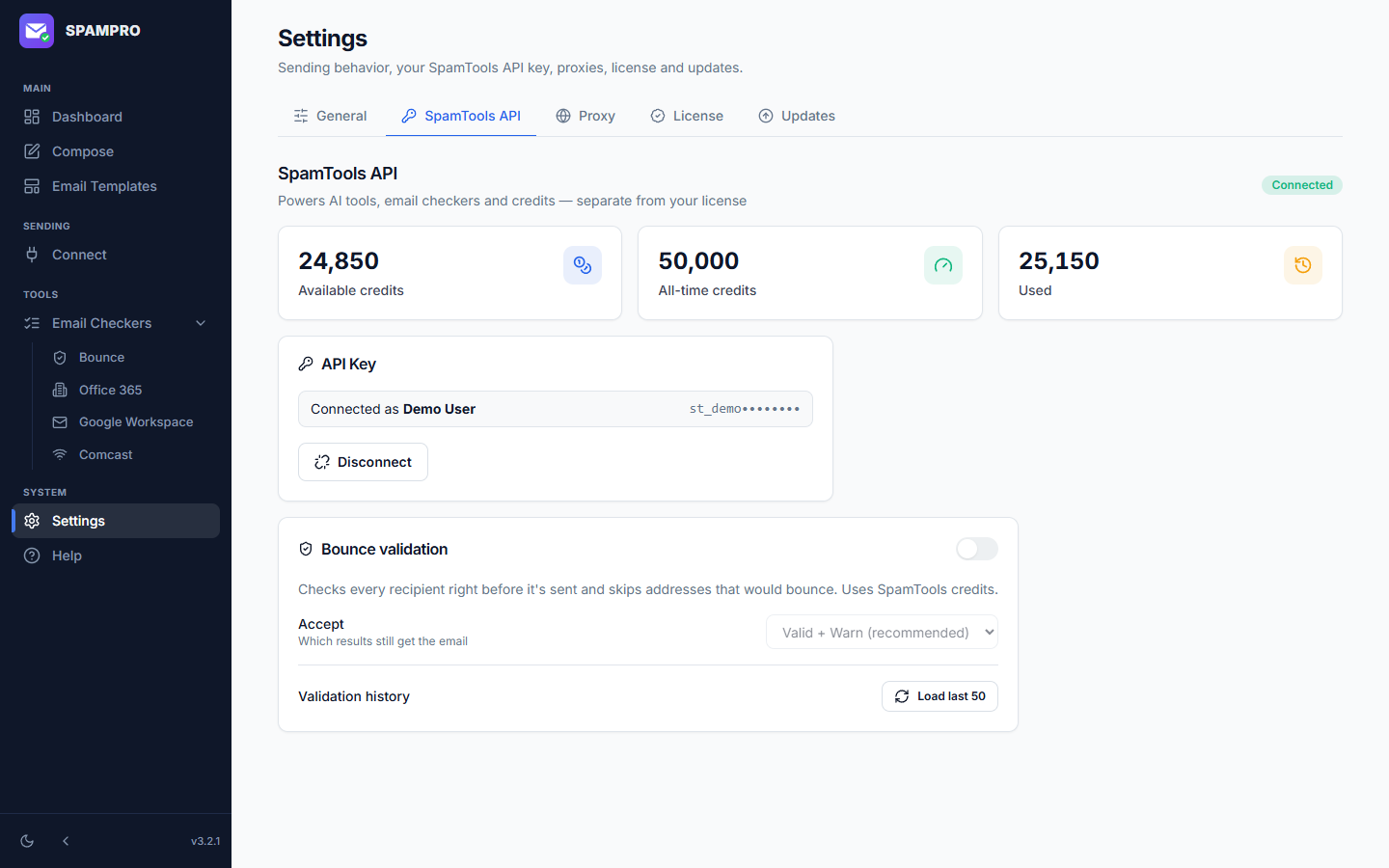
Once connected you see:
- Available credits, All-time credits and Used.
- Connected as your account name, with a short preview of the key.
- Disconnect to remove the key from this PC.
Credits are used by the email checkers and bounce validation. Top up any time from the SpamTools dashboard, or with Buy credits on the checker pages.
Bounce validation
The Bounce validation card on the same page checks every recipient right before it's sent and skips addresses that would bounce. See Bounce validation.
Troubleshooting
- "Key invalid or expired": generate a new key in the dashboard and connect it again.
- "Out of SpamTools validation credits": top up, then resume your checker job.
- AI features say they need a subscription: the AI tools need an active AI plan on your SpamTools account.
On This Page
Still Stuck?
Can't find the answer here? Our team responds fast on Telegram and email.
Contact SupportTelegram Chat