
Back to Docs
One-Click Unsubscribe (List-Unsubscribe)
Add the List-Unsubscribe header that Gmail and Yahoo require for bulk senders, and a visible unsubscribe link.
unsubscribe
list-unsubscribe
compliance
gmail
yahoo
One-Click Unsubscribe (List-Unsubscribe)
Gmail and Yahoo require one-click unsubscribe for bulk senders. A recipient who can't easily unsubscribe clicks Report spam instead, and complaints hurt your reputation far more than unsubscribes.
Turn it on
Open Settings → General → Authentication & compliance and switch on List-Unsubscribe header.
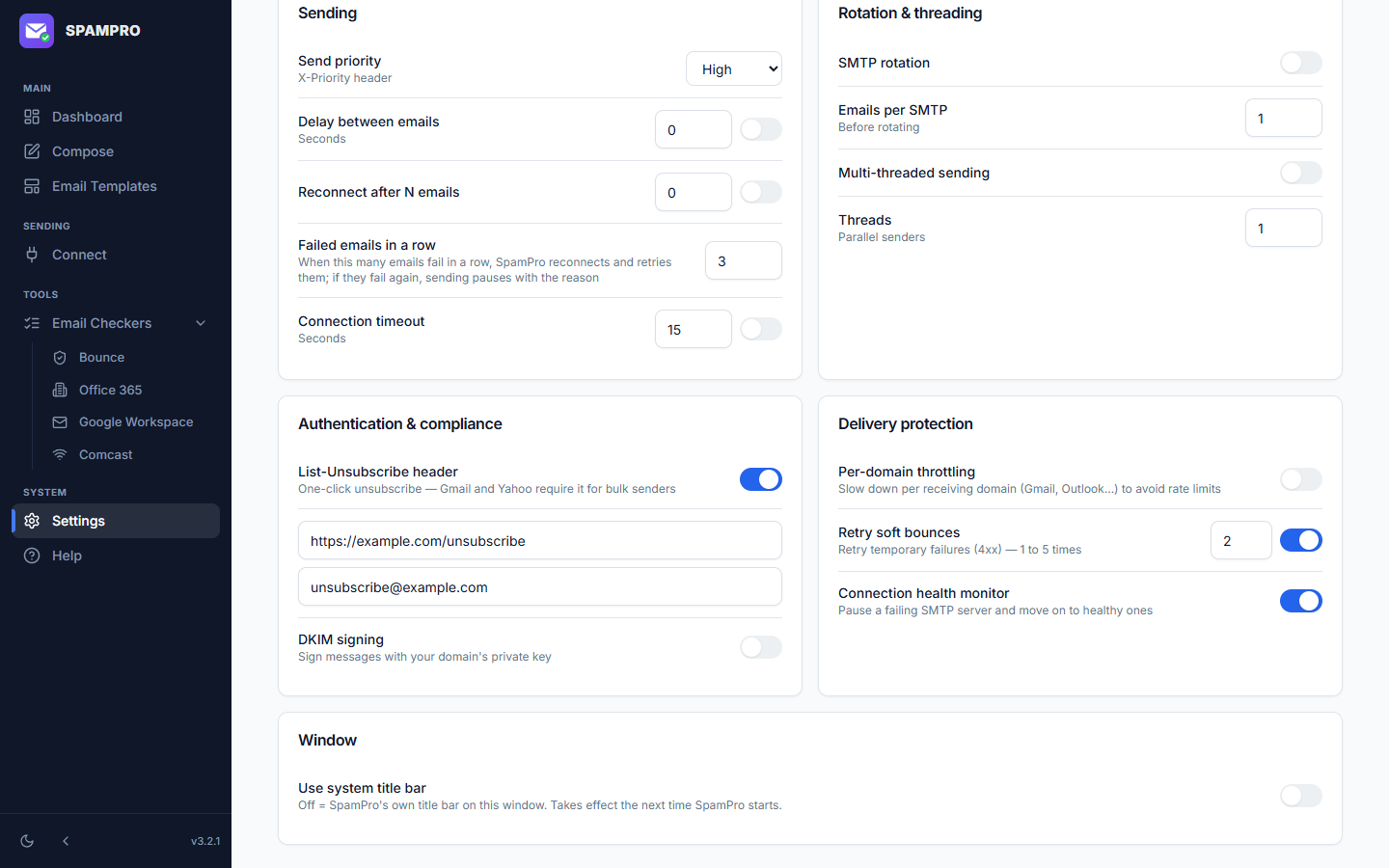
Fill in:
- URL: an HTTPS address that accepts one-click unsubscribe requests (RFC 8058), e.g.
https://example.com/unsubscribe?e=[@email].[@email]is filled in per recipient. - Mailto (optional): an address that receives unsubscribe emails, e.g.
mailto:[email protected].
Click Save. Every email then carries the List-Unsubscribe and List-Unsubscribe-Post headers, so Gmail and Yahoo show their own Unsubscribe button.
Add a visible link too
Put an unsubscribe link in the footer of every marketing email as well:
- Every email template has a Footer block with an unsubscribe link that uses the
[@unsubscribe]token. It's filled in with the URL above. - In your own HTML, link to
[@unsubscribe].
Handle unsubscribes properly
- Remove unsubscribers from every list within 2 days.
- Never make people log in, confirm by email or fill in a survey to unsubscribe.
- Keep your spam complaint rate under 0.1% (0.3% is the hard limit at Gmail and Yahoo). Check Google Postmaster Tools for your domain.
Related
- Custom headers
- Spam check: pre-flight warns when there's no unsubscribe link.
On This Page
Still Stuck?
Can't find the answer here? Our team responds fast on Telegram and email.
Contact SupportTelegram Chat