
Back to Docs
AI Campaign Designer
Describe your campaign and let AI generate From names, subject lines and a full HTML or plain-text email, then apply it in one click.
ai
campaign designer
ai email writer
generate
AI Campaign Designer
The AI Campaign Designer writes a campaign for you from a short description: From names, subject lines and the full email body.
Requires a connected SpamTools API key with an active AI subscription.
Open it
In Compose, click AI Designer in the top bar, or AI write on the Message card.
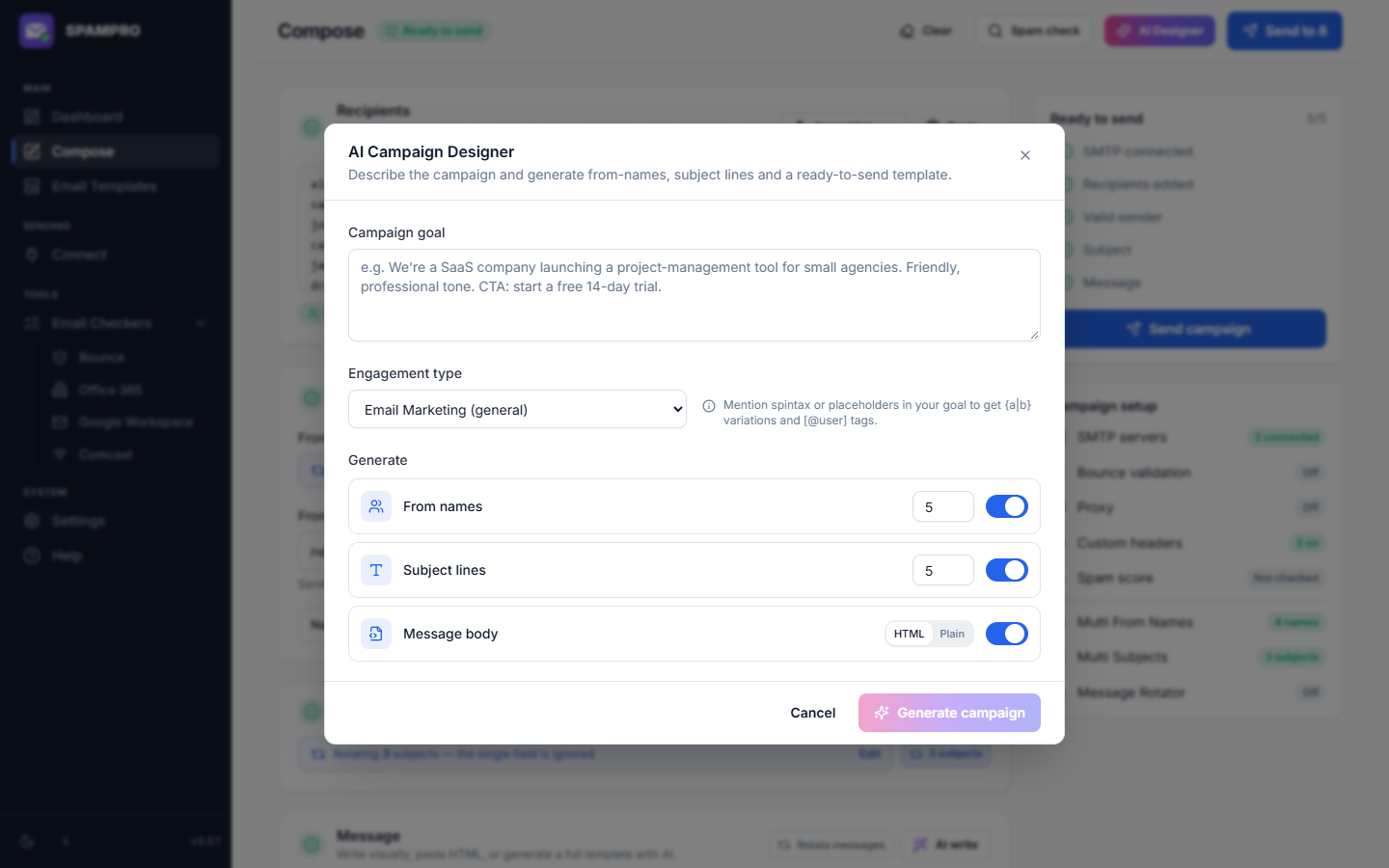
Fill in the form
- Campaign goal: describe what you're sending, who it's for, your tone and your call to action. For example: We're a SaaS company launching a project dashboard for small agencies. Friendly, professional tone. CTA: start a free 14-day trial.
- Engagement type: pick the kind of email:
- Email Marketing (general)
- Newsletter / Content Digest
- Product Launch / Announcement
- Promotional / Sales Offer
- Cold Outreach / B2B Sales
- Transactional / Notification
- Event Invitation
- Re-engagement / Win-back
- Security Awareness Test (authorized engagements only)
- Generate: choose what to create:
- From names: on/off and how many.
- Subject lines: on/off and how many.
- Message body: on/off, as HTML or Plain text.
- Click Generate campaign.
Tip: Mention spintax or placeholders in your goal to get
{a|b}variations and[@user]tags in the result.
Review the result
When it's ready, tabs show everything that was generated: Names, Subjects, HTML and a Preview of the email.
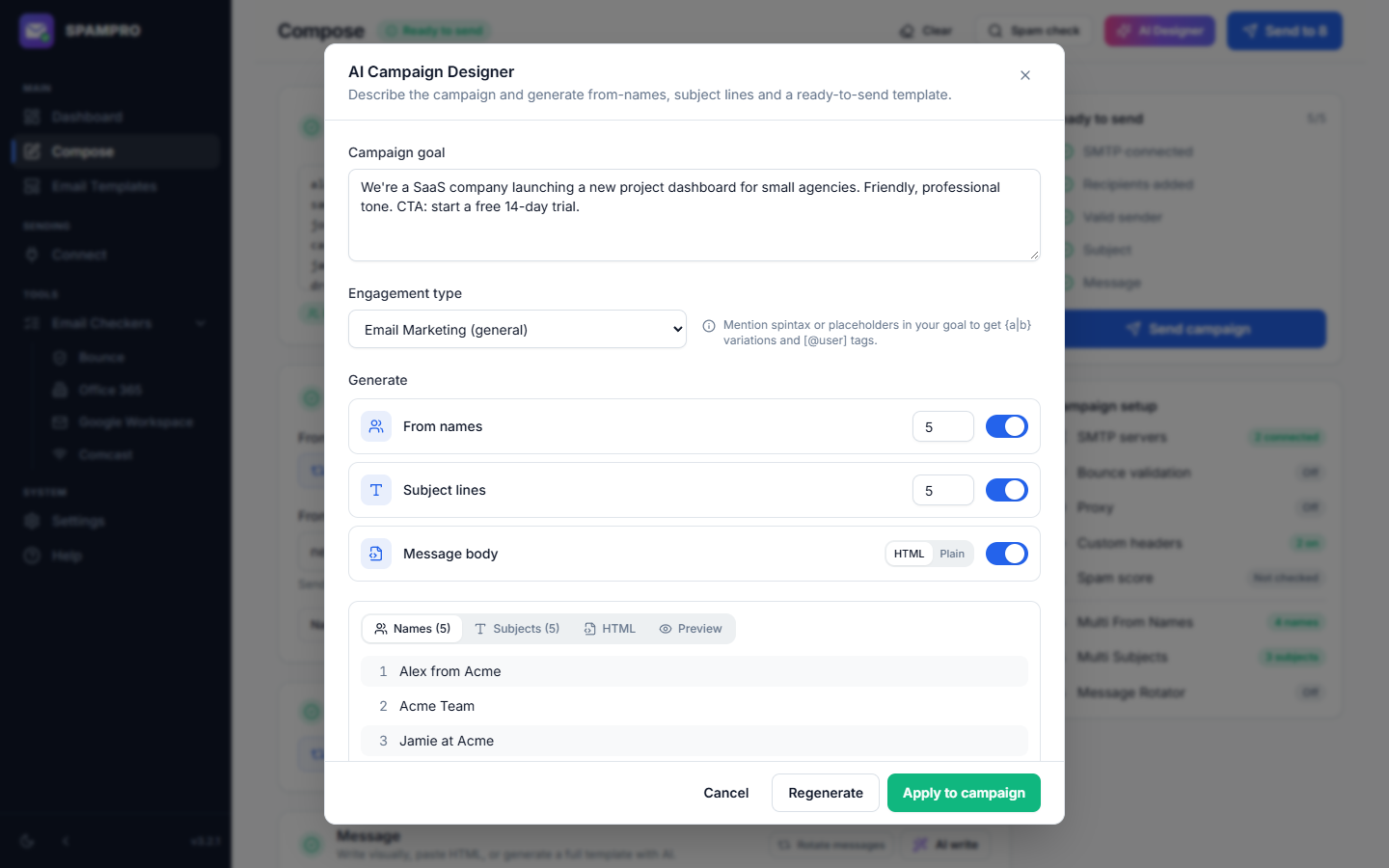
(The screenshot shows example output. Your results depend on your goal.)
- Regenerate creates a new version.
- Apply to campaign puts it into Compose:
- From names become an active From name rotator,
- subject lines become an active subject rotator,
- the email goes into the message editor.
Everything stays fully editable after you apply it.
Tips
- The more specific your goal (audience, offer, tone, call to action), the better the result.
- Always read and edit the result before sending, and run a Spam check.
On This Page
Still Stuck?
Can't find the answer here? Our team responds fast on Telegram and email.
Contact SupportTelegram Chat