
Back to Docs
Subject Rotator (Multi Subjects)
Rotate several subject lines in one campaign, switching every N emails.
rotator
subject
multi subjects
Subject Rotator (Multi Subjects)
The subject rotator sends your campaign with several subject lines, switching every N emails.
Set it up
- In Compose → Subject, click Multi subjects.
- Turn on Rotation on. While it's on, the single Subject field is ignored.
- Set Switch subject every N email(s).
- Add subjects one by one, or click Paste list to add one per line.
- Click Save.
The panel works exactly like the From name rotator:
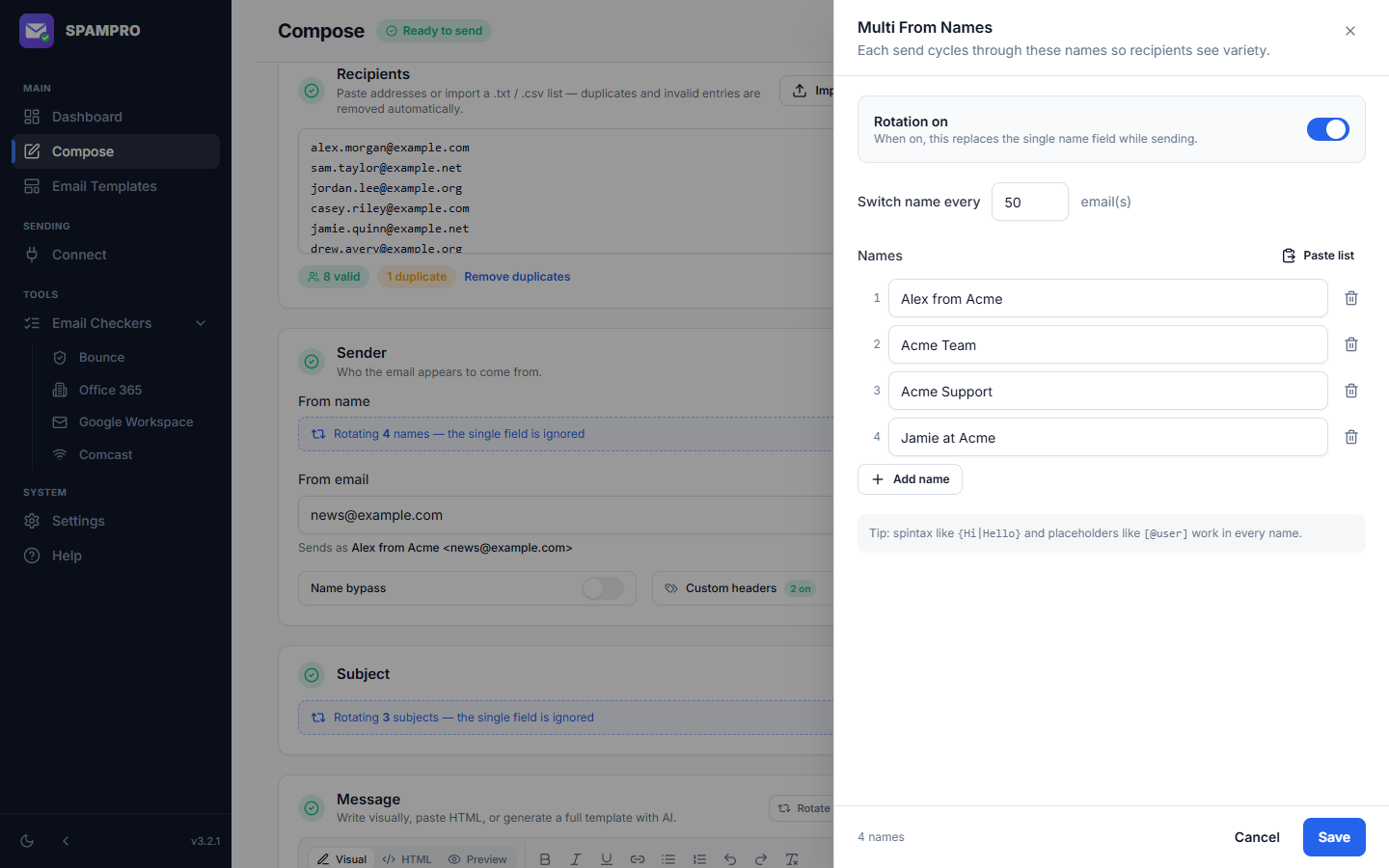
In Compose, the Subject field then reads Rotating 3 subjects — the single field is ignored, and Campaign setup shows Multi Subjects: 3 subjects.
Writing good rotating subjects
- Keep each one honest and about the same email. Rotating misleading subjects leads to complaints.
- Keep them between 30 and 60 characters.
- Mix in tokens and spintax:
Your [@month_name] update, [@user]
{Quick|Short} news from Acme
What's new at Acme this month
The AI Campaign Designer can write a set of subject lines for you.
On This Page
Still Stuck?
Can't find the answer here? Our team responds fast on Telegram and email.
Contact SupportTelegram Chat