
Back to Docs
From Name Rotator (Multi From Names)
Send one campaign with several sender names that switch automatically every N emails.
rotator
from name
multi names
From Name Rotator (Multi From Names)
The From name rotator sends your campaign with several sender names, switching every N emails.
Open it
In Compose → Sender, click Multi names next to the From name (it shows the count, e.g. 4 names, once set up).
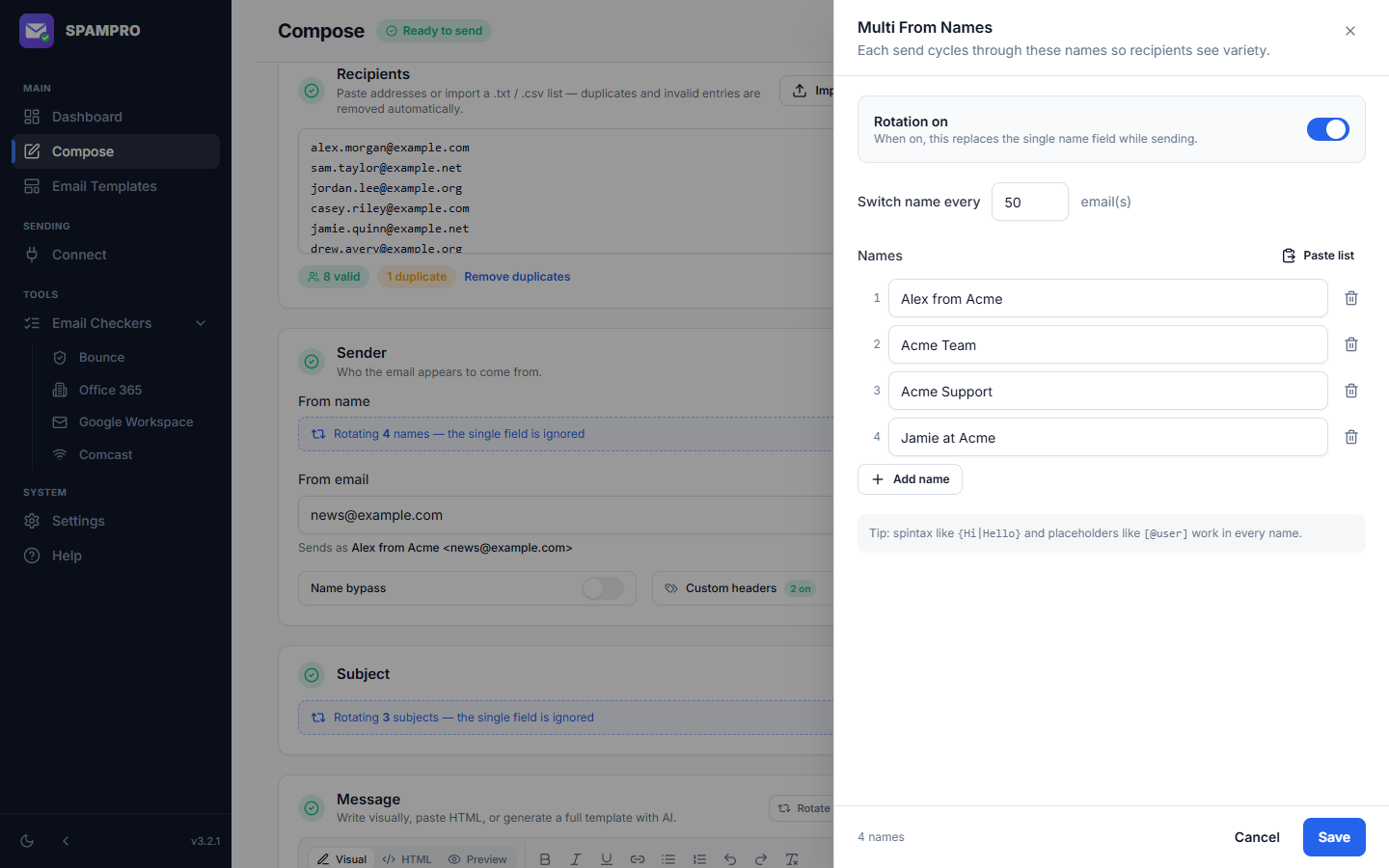
Set it up
- Turn on Rotation on. While it's on, the single From name field is ignored.
- Set Switch name every N email(s): how many emails go out with one name before moving to the next.
- Add names:
- type into each row, and click Add name for more,
- or click Paste list to add many at once, one per line.
- Click Save.
The trash icon removes a name. Cancel closes without saving.
How you see it in Compose
The From name field changes to Rotating 4 names — the single field is ignored, with an Edit link. Campaign setup on the right shows Multi From Names: 4 names.
Tips
- Spintax like
{Hi|Hello}and tokens like[@user]work in every name. - Use names that belong to your brand, such as Alex from Acme or Acme Team. Using another brand's name in the From name hurts trust and deliverability.
- The AI Campaign Designer can generate a list of From names and turn this rotator on for you.
Related
On This Page
Still Stuck?
Can't find the answer here? Our team responds fast on Telegram and email.
Contact SupportTelegram Chat