
Back to Docs
SMTP Setup: Connect Your Email Server
Add an SMTP server with provider presets, choose encryption and ports, test the login and read the live SMTP log.
smtp
connect
gmail
outlook
office365
amazon ses
SMTP Setup: Connect Your Email Server
SpamPro sends through your own SMTP servers. You need at least one connected server before you can send.
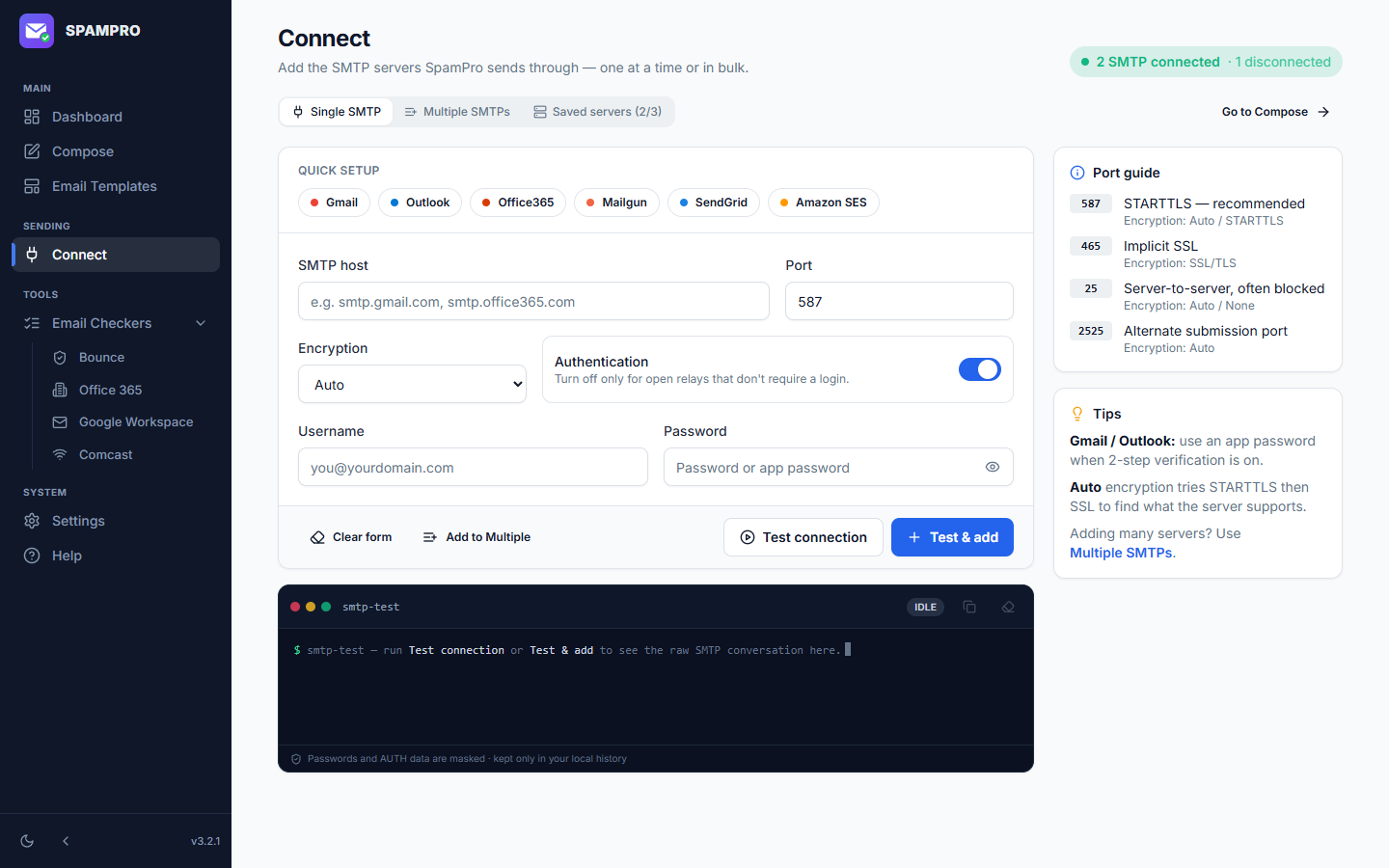
Add a single SMTP server
- Open Connect and stay on the Single SMTP tab.
- Under Quick setup, click your provider to fill in host, port and encryption: Gmail, Outlook, Office365, Mailgun, SendGrid or Amazon SES. For any other provider, type the SMTP host and Port yourself.
- Choose Encryption:
- Auto (recommended): tries STARTTLS first, then SSL.
- SSL/TLS: usually port 465.
- STARTTLS: usually port 587.
- None: usually port 25, for internal relays only.
- Leave Authentication on and enter your Username and Password. Turn Authentication off only for open relays that don't need a login.
- Click Test connection to check the login, or Test & add to check it and save the server in one go. A server is only saved if the login works.
Port guide
| Port | Use | Encryption |
|---|---|---|
| 587 | STARTTLS, recommended | Auto / STARTTLS |
| 465 | Implicit SSL | SSL/TLS |
| 25 | Server-to-server, often blocked by ISPs | Auto / None |
| 2525 | Alternative submission port | Auto |
Provider tips
- Gmail and Outlook: use an app password when 2-step verification is on. Your normal password won't work.
- Office 365:
smtp.office365.com, port 587, STARTTLS. - Amazon SES: use your SES SMTP credentials (not your AWS login), and verify your domain in SES first.
The SMTP log
Under the form, a terminal shows the live conversation with the server: what SpamPro sends and what the server replies, plus TLS details and the result. Passwords and login data are always masked. If a test fails, the server's exact reply is shown here, which is the fastest way to see what's wrong.
Other buttons
- Clear form empties every field.
- Add to Multiple moves the server into the Multiple SMTPs table without testing it.
- Go to Compose (top right) takes you straight to writing your campaign.
The From email and your SMTP login
If your SMTP username is an email address, Compose can use it as the From address. If it isn't (for example server or an API key), set a valid From email in Compose, or sending is blocked.
Next
On This Page
Still Stuck?
Can't find the answer here? Our team responds fast on Telegram and email.
Contact SupportTelegram Chat