
Back to Docs
Send Through Proxies
Add HTTP, HTTPS, SOCKS4 and SOCKS5 proxies, test them, and route SMTP connections through the working ones.
proxy
socks5
http proxy
settings
Send Through Proxies
SpamPro can route every SMTP connection through HTTP, HTTPS, SOCKS4 or SOCKS5 proxies. Proxies are optional: without them, SpamPro connects directly.
Open Settings → Proxy.
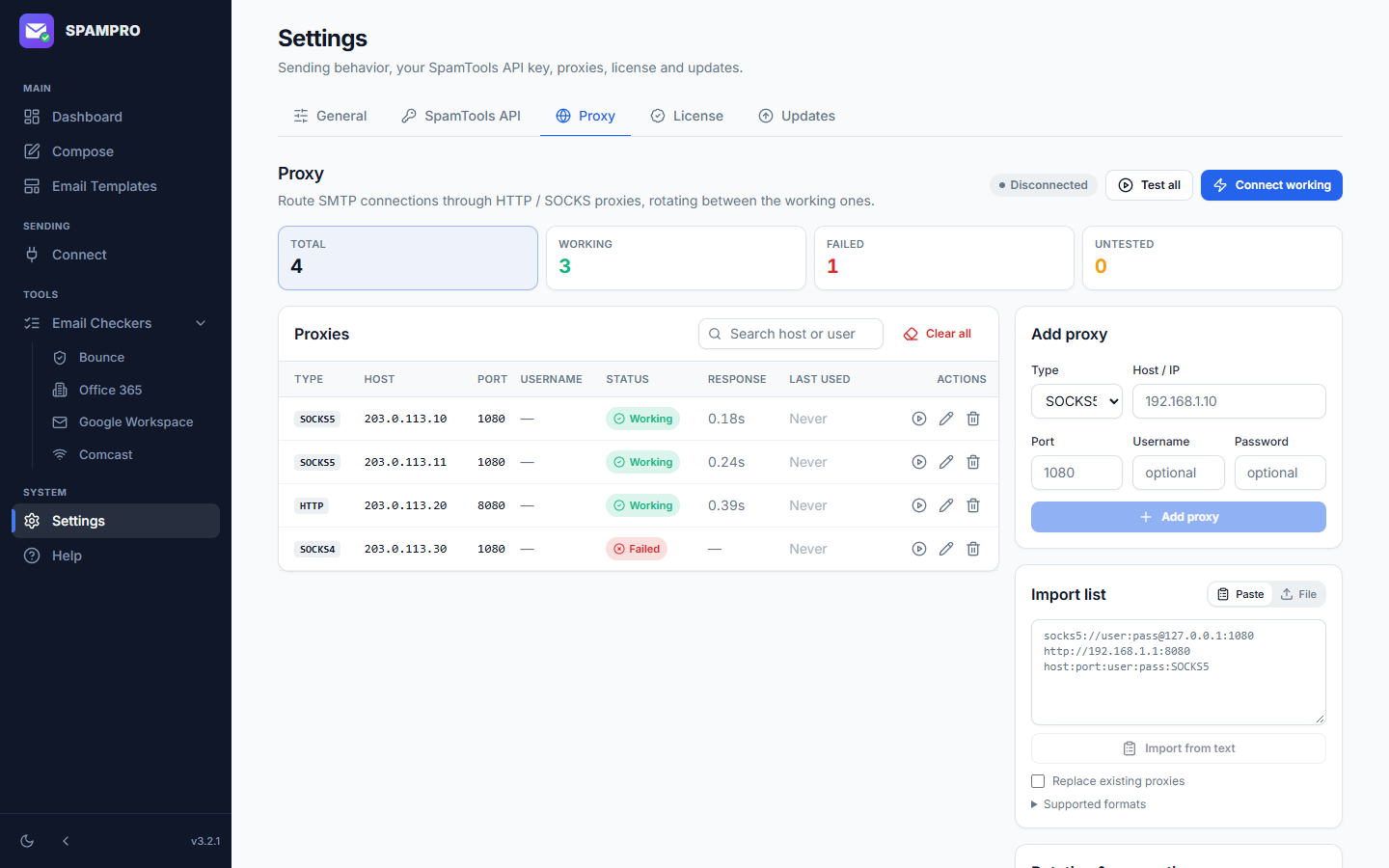
1. Add proxies
Any of these work:
- Add proxy form: choose the Type, enter Host / IP, Port and, if needed, Username and Password, then click Add proxy.
- Import list → Paste: paste many proxies, one per line, and click Import from text.
- Import list → File: drop or pick a
.txtfile. - Tick Replace existing proxies to swap your whole list instead of adding to it.
Supported formats:
socks5://user:pass@host:port
http://host:port
host:port:type
host:port:user:pass:type
2. Test them
Click Test all. Each proxy is marked Working or Failed, with its response time. The counters at the top show Total, Working, Failed and Untested.
Per proxy, you can also Test, Edit or Delete it. When editing, leaving the password blank keeps the saved one.
3. Connect the working ones
Click Connect working. The status changes from Disconnected to Connected, and from then on every SMTP connection goes through a working proxy. Compose shows Proxy: On in Campaign setup.
Options
- Order: round-robin (in turn) or random.
- Test timeout: 5 to 60 seconds. Raise it for slow proxies.
- Auto-connect on startup: tests your proxies when SpamPro opens and connects the working ones automatically.
- Last used shows when sending last picked each proxy. Hover the response time to see when the proxy was last tested.
- Clear all removes every proxy and turns the proxy system off.
Tips
- SOCKS5 is the most reliable for SMTP.
- HTTP proxies must allow CONNECT to ports 25, 465 and 587, or SMTP won't work through them.
- A wrong type (HTTP vs SOCKS5) always fails. Check what your provider gives you.
- A dead proxy fails every connection that goes through it. Re-test before big campaigns.
Next
On This Page
Still Stuck?
Can't find the answer here? Our team responds fast on Telegram and email.
Contact SupportTelegram Chat