
Back to Docs
Export and Import Campaigns
Save a campaign setup to a .json file to back it up or move it to another PC, and import it with a preview.
campaign
export
import
backup
dashboard
Export and Import Campaigns
A campaign file backs up your campaign setup or moves it to another computer. Find it on the Dashboard under Campaign file.
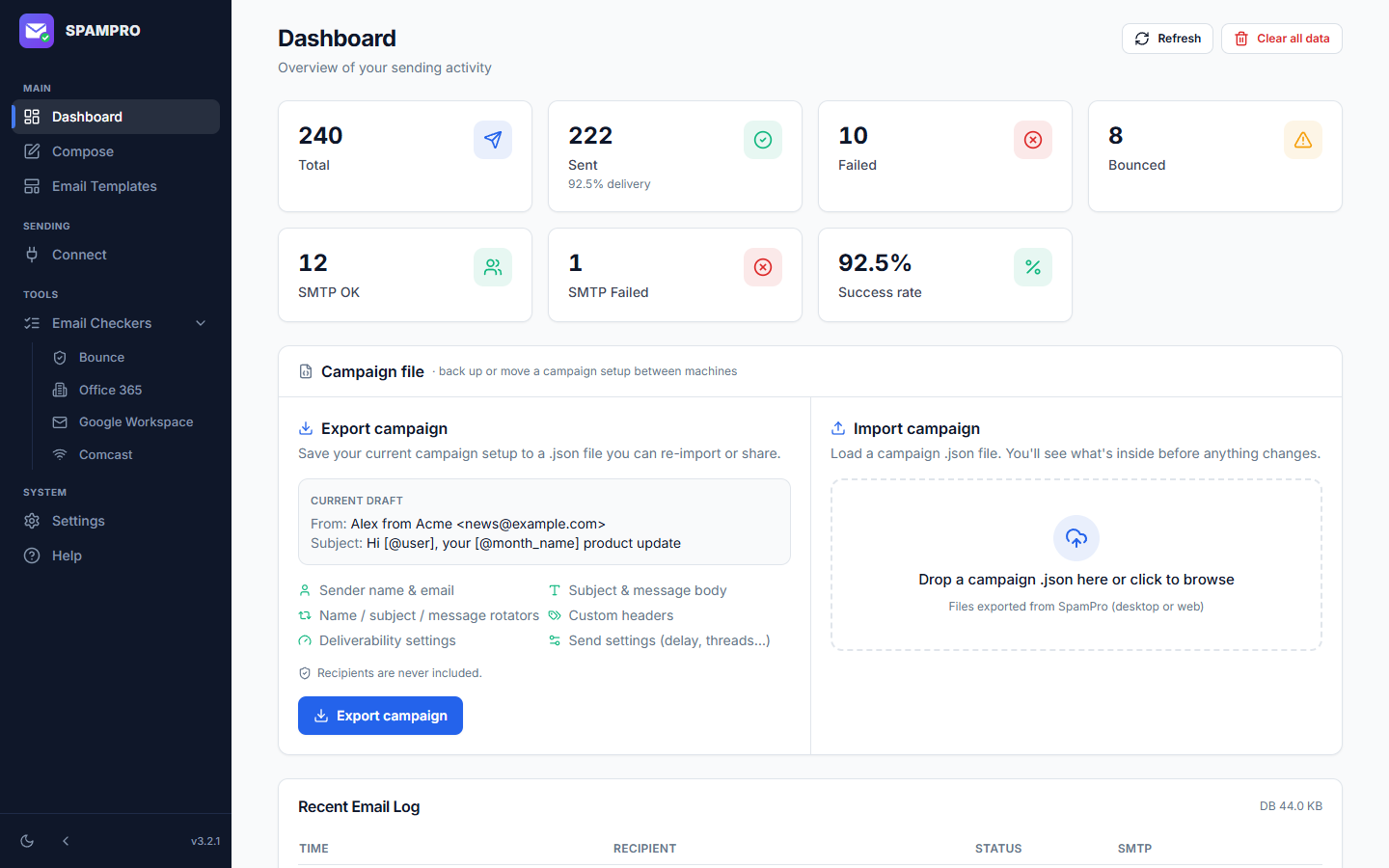
Export a campaign
Current draft shows the From and Subject that will be exported. Click Export campaign to save a .json file containing:
- sender name and email,
- subject and message body,
- name, subject and message rotators,
- custom headers,
- deliverability settings,
- send settings (delay, threads and more).
Recipients are never included.
Import a campaign
Drop a campaign .json file on Import campaign, or click it to browse. SpamPro shows what's inside before anything changes, and you confirm before your current setup is replaced.
Files exported from SpamPro (desktop or web version) can be imported.
Ideas
- Keep a campaign file for each recurring newsletter.
- Share a setup with a colleague without sharing your recipient list.
- Back up your setup before trying big changes.
Related
- Dashboard
- Email templates: for reusable email designs.
On This Page
Still Stuck?
Can't find the answer here? Our team responds fast on Telegram and email.
Contact SupportTelegram Chat