
Back to Docs
Attachments
Attach a file to your campaign, size limits, and when to use a link instead.
attachments
compose
files
Attachments
Attach a file
In Compose → Message, click Attach a file under the editor and pick the file in the window that opens.
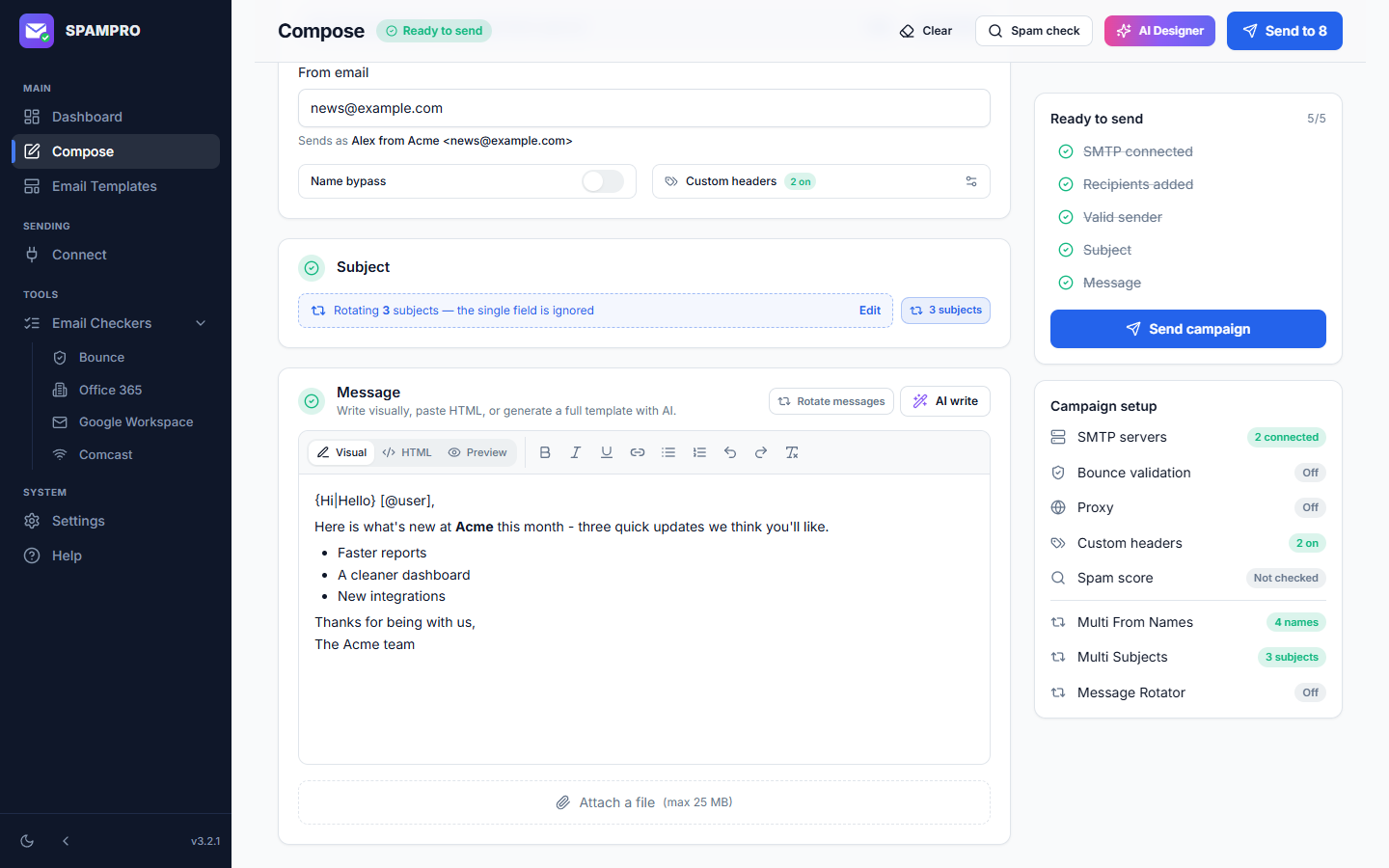
- Maximum size: 25 MB.
- You're warned above 10 MB, since big emails are slower and more likely to be filtered.
- The file is re-checked when you press Send, so changes to it are picked up.
- The send confirmation shows the attached file.
Attaching uses the SpamPro window's own file picker.
Privacy
Only the file's location is remembered while you compose. The content of attachments is never stored by SpamPro, and attachments are not included in campaign files.
When to use a link instead
Attachments make emails heavier and some file types are blocked by filters. For bulk mail:
- Don't attach
.exe,.zip,.js,.scror Office files with macros. - Do upload big files to your website or a file-sharing service and link to them.
- A PDF is generally safe, but a link is still lighter and easier to track.
Run Spam check after attaching. Pre-flight checks the message size.
On This Page
Still Stuck?
Can't find the answer here? Our team responds fast on Telegram and email.
Contact SupportTelegram Chat