
Email Checkers: Bounce, Office 365, Google Workspace and Comcast
Verify email lists as background jobs: bounce scores, Office 365, Google Workspace and Comcast checks, with export and Load to Compose.
Email Checkers
Verify your list before you send. Open Email Checkers in the sidebar and pick a checker:
| Checker | What it tells you |
|---|---|
| Bounce | Whether each address is safe to send to: Valid, Warn or Risky, with a bounce score (0–100) and a reason. |
| Office 365 | Which addresses are live Microsoft 365 / Outlook mailboxes. |
| Google Workspace | Which addresses are live Google Workspace mailboxes. |
| Comcast | Which Comcast addresses are live. Needs your HTTP proxies. |
Requires a connected SpamTools API key. Checks use SpamTools validation credits.
Credits
At the top of every checker you see your validation credits (available, and used of total). Buy credits opens the SpamTools dashboard, and Guide opens this help. If a list is larger than your balance, you're warned before starting.
Start a check
Click New check:
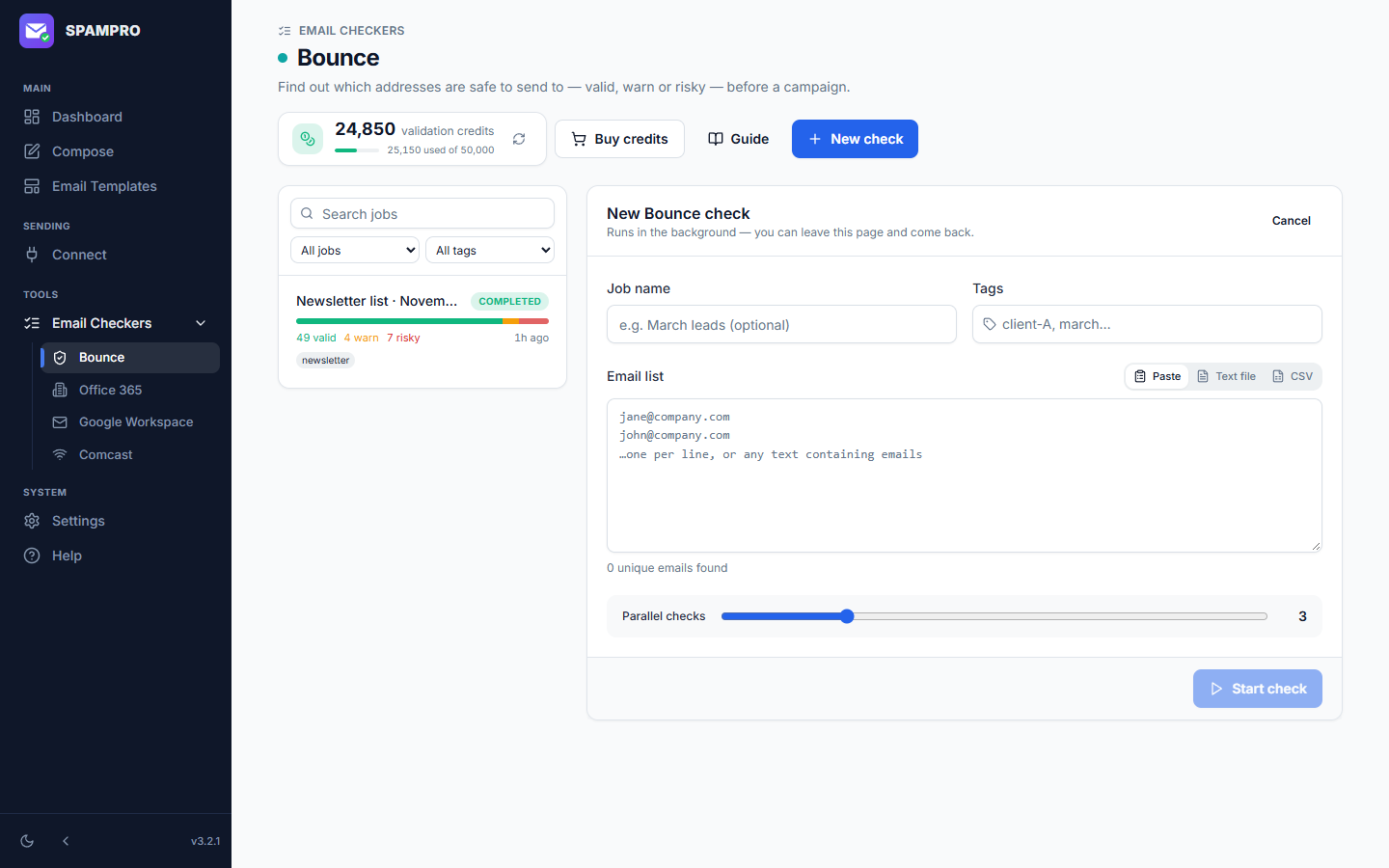
- Job name (optional) and Tags to group jobs, e.g. client-A, march.
- Email list: Paste addresses (one per line, or any text containing emails), or upload a Text file or CSV. For a CSV, choose the email column from the preview.
- Parallel checks: 1 to 10 at the same time.
- Comcast only: add your HTTP proxies, one per line (
http://user:pass@host:port), and choose rotate or random. - Click Start check.
The job runs in the background: you can leave the page and come back. Jobs that were running when you closed SpamPro come back paused.
Results
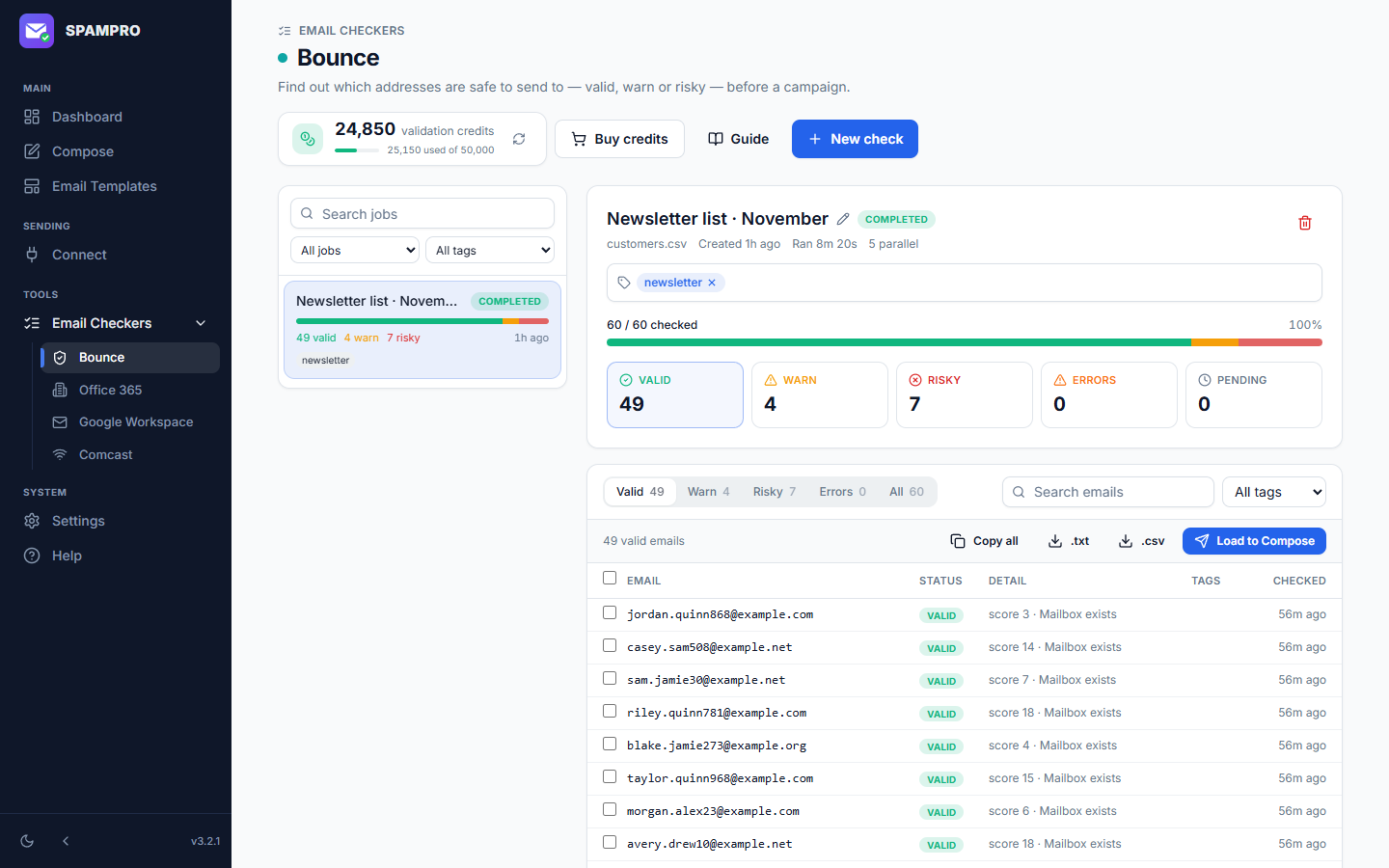
Each job shows its status, source, how long it ran, and a progress bar. Counters show:
- Bounce: Valid, Warn, Risky, Errors, Pending.
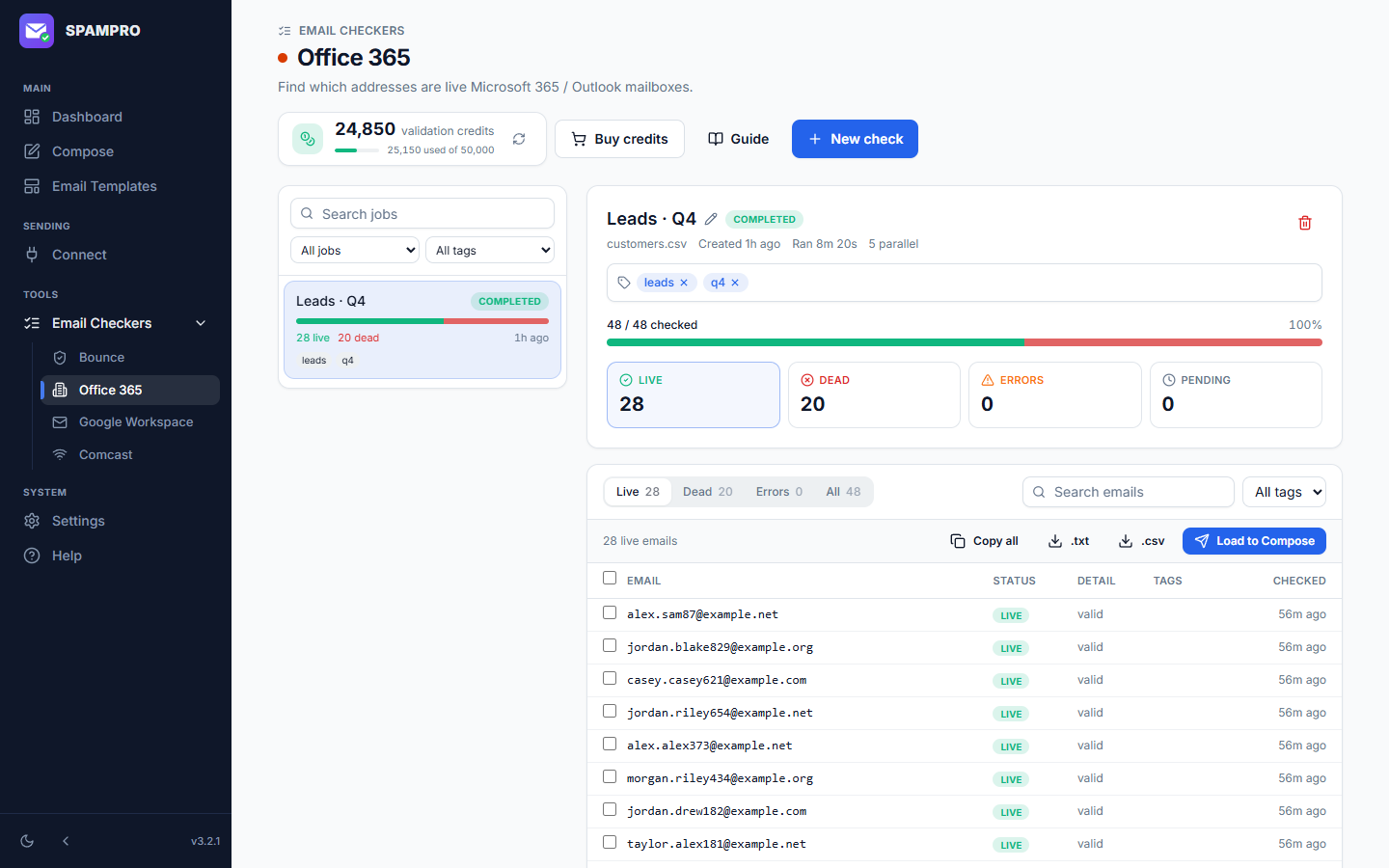
- Office 365, Google Workspace, Comcast: Live, Dead, Errors, Pending.
Below, result tabs, a search box and a tag filter let you browse every address with its status, detail (e.g. score 7 · Mailbox exists) and when it was checked. Results update live while the job runs.
Use your results
- Copy all, or download as .txt or .csv.
- Load to Compose: adds the addresses to your recipients, skipping ones already there.
- Tick addresses to tag them, then filter by tag.
Manage jobs
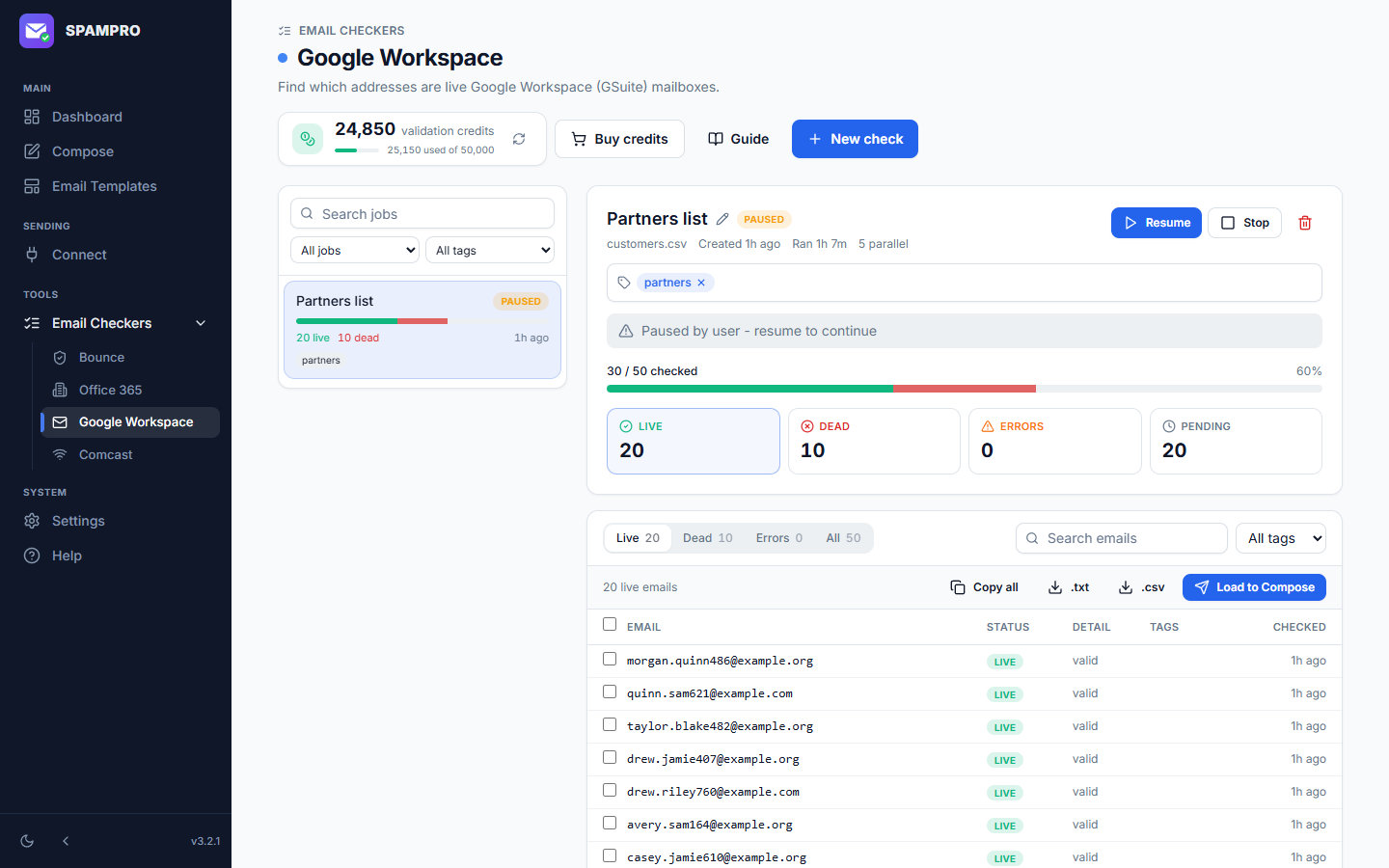
- Pause, Resume and Stop a running job.
- Retry errors: re-checks only the addresses that hit a network or API error. Errors are kept apart from dead results.
- Rename (pencil icon), tag, or delete (trash icon) a job.
- Search jobs and filter by status or tag in the list on the left.
Troubleshooting
- "Out of SpamTools validation credits": top up, then Resume and Retry errors.
- "Key invalid or expired": reconnect your key in Settings → SpamTools API.
- Many errors but some results: usually a network hiccup. Press Retry errors.
- Comcast checks fail: check that your proxies are reachable and start with
http://orhttps://.
Still Stuck?
Can't find the answer here? Our team responds fast on Telegram and email.
Contact SupportTelegram Chat