
Built-In Help Center and Inbox Placement Guide
Use SpamPro's searchable Help Center: guides for every screen, an inbox placement guide and troubleshooting.
Built-In Help Center and Inbox Placement Guide
SpamPro has a searchable Help Center built in. Open Help in the sidebar.
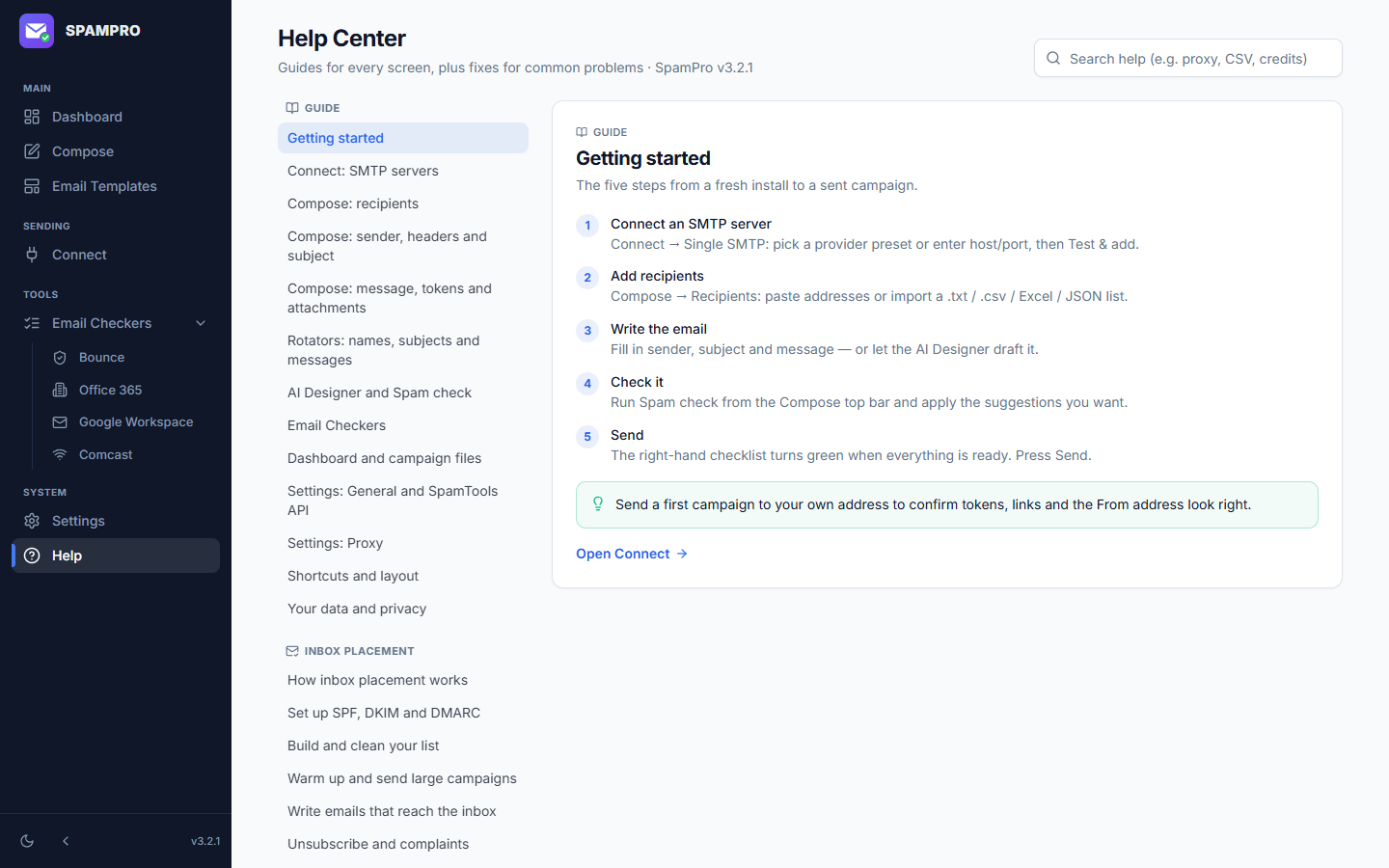
Use Search help at the top (e.g. proxy, CSV, credits) or browse the three sections. Many articles have a button that takes you straight to the right screen.
Guide
Step-by-step help for every screen: getting started, SMTP servers, recipients, sender / headers / subject, message, tokens and attachments, rotators, AI Designer and Spam check, email checkers, dashboard and campaign files, settings, proxies, shortcuts and layout, and your data and privacy.
Inbox placement
A complete guide to reaching the inbox:
- How inbox placement works: what Gmail, Yahoo and Outlook look at, and the rules every bulk sender must meet.
- Set up SPF, DKIM and DMARC: with example records and alignment explained.
- Build and clean your list: consent, validation and removing dead addresses.
- Warm up and send large campaigns: a safe ramp-up schedule and the right settings.
- Write emails that reach the inbox: subjects, links, images and attachments.
- Unsubscribe and complaints: one-click unsubscribe and keeping complaints under 0.1%.
- Monitor and recover from the spam folder: free monitoring tools and what SMTP errors mean.
- Pre-send checklist: go through it before every large campaign.
Troubleshooting
Fixes for: can't reach the local service, SMTP SSL certificates, login failures, timeouts, nothing sending, emails landing in spam, checker errors and proxy problems. The same fixes are on our Troubleshooting page.
More help
- Online Help Center: spamtool.tawk.help
- Telegram: t.me/spamtoolsorg
- Email: [email protected]
Still Stuck?
Can't find the answer here? Our team responds fast on Telegram and email.
Contact SupportTelegram Chat